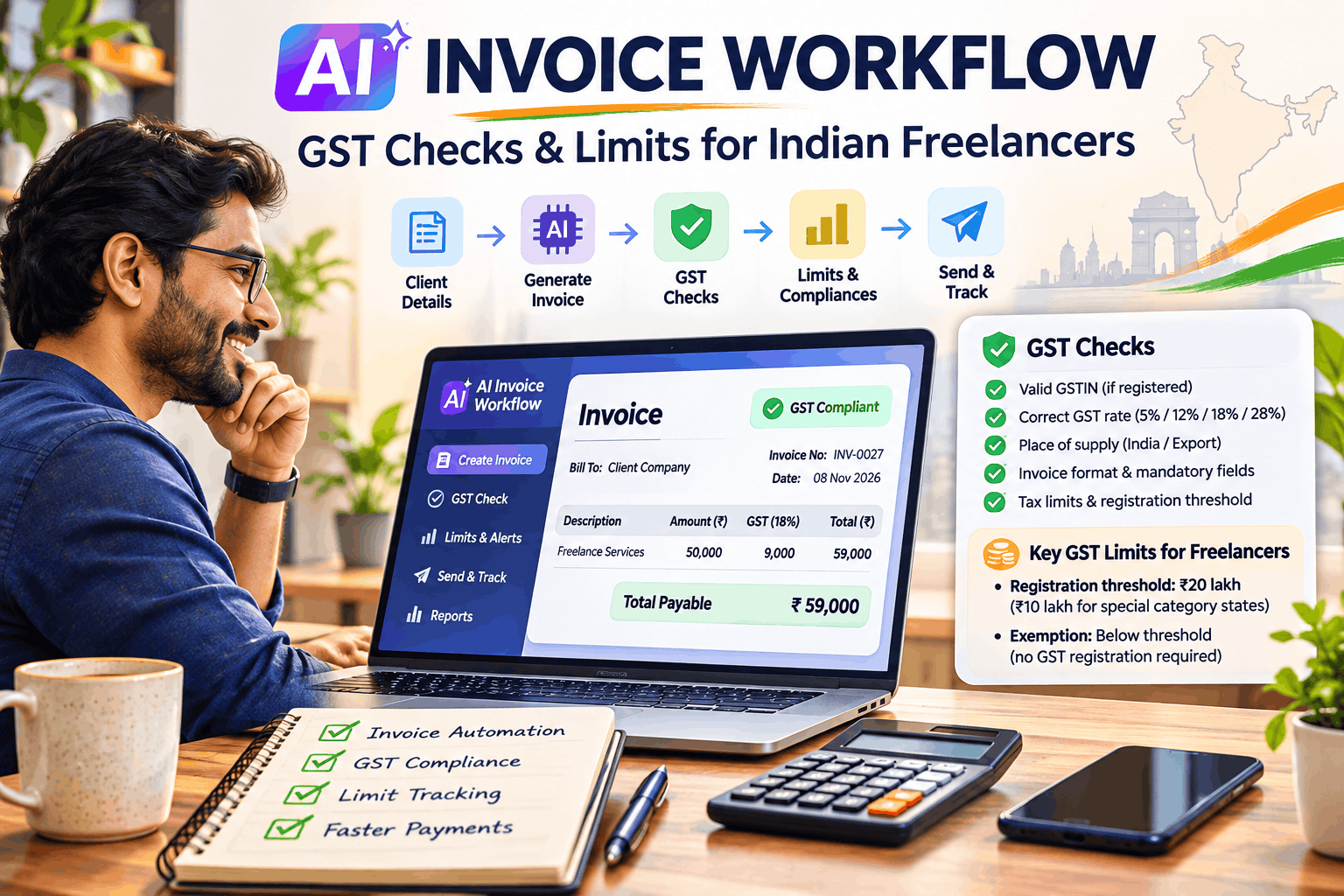
AI Invoice Workflow for Indian Freelancers: GST Checks and Limits

AI Invoice Workflow for Indian Freelancers: GST Checks and Limits
Introduction
Freelancing in India is growing rapidly. From software developers and UI/UX designers to digital marketers, consultants, content creators and AI professionals, thousands of independent professionals are providing services to clients across India and internationally.
But running a successful freelance business involves more than delivering quality work. Freelancers must also manage invoices, payments, taxation, GST registration, client records and financial documentation.
This is where Artificial Intelligence (AI) and workflow automation can make a significant difference.
Imagine a system that automatically generates professional invoices, checks GST details, calculates applicable taxes, tracks payment deadlines and organises financial records — with minimal manual intervention.
In this guide, we will explore how Indian freelancers can build an AI-powered invoice workflow using affordable or free tools, understand important GST rules and registration limits, and reduce administrative work.
Important: AI can assist with invoice preparation and compliance checks, but it cannot replace professional tax advice or official GST portal validation.
1. Why Indian Freelancers Need an AI Invoice Workflow
Many freelancers still prepare invoices manually using spreadsheets, Word documents or basic invoice generators.
This approach works initially, but problems arise as the number of clients and transactions increases.
Common challenges include:
- Incorrect GST calculations.
- Missing client GSTIN details.
- Incorrect invoice numbering.
- Confusion between CGST, SGST and IGST.
- Difficulty tracking taxable turnover.
- Delayed payment follow-ups.
- Incomplete financial records.
- Errors in international client invoicing.
- Time-consuming monthly accounting activities.
An AI-powered invoice workflow helps automate repetitive tasks while keeping important compliance checks visible.
Benefits of AI-based invoicing
- Faster invoice creation.
- Automatic tax calculations based on approved rules.
- Client information validation.
- GST threshold monitoring.
- Automated payment reminders.
- Centralised invoice storage.
- Monthly revenue reporting.
- Easier reconciliation with accounting records.
The objective is not simply to generate invoices faster. It is to establish a reliable financial operating process for your freelance business.
2. Understanding GST Registration Limits for Indian Freelancers
Before implementing an automated invoice system, freelancers must understand when GST registration becomes applicable.
GST registration threshold
For most service providers, including independent consultants and freelancers, the general GST registration threshold is:
| Category | Annual aggregate turnover threshold |
|---|---|
| Service providers in most states | ₹20 lakh |
| Service providers in specified special-category states | ₹10 lakh |
These thresholds are based on aggregate turnover under GST, calculated on an all-India PAN basis.
Aggregate turnover generally includes taxable supplies, exempt supplies, exports and inter-state supplies, calculated across the same PAN, excluding GST and cess.
The threshold is not simply the revenue earned from one client or one state.
Example:
Suppose a freelance software developer earns:
- Client A: ₹8 lakh
- Client B: ₹6 lakh
- Client C: ₹4 lakh
- Client D: ₹3 lakh
Total annual aggregate turnover = ₹21 lakh.
If the freelancer operates under the general ₹20 lakh threshold and no applicable exception changes the position, GST registration would generally become necessary.
Important exceptions
GST registration provisions contain exceptions and special conditions.
For example, certain categories of suppliers may need registration irrespective of the normal threshold, while specific exemptions apply to some small service providers making inter-state supplies or supplying through e-commerce platforms.
Do not assume that every freelancer follows exactly the same registration rule. Check the nature of services, place of supply, state, business structure and applicable notifications.
Practical recommendation: Configure your invoicing system to monitor turnover at ₹15 lakh and ₹18 lakh for a general-threshold freelancer, and at ₹7 lakh and ₹9 lakh where the ₹10 lakh threshold applies. These are internal warning levels, not statutory limits.
3. GST Rates: What Freelancers Should Check Before Invoicing
One of the most common mistakes freelancers make is assuming that every professional service attracts the same GST rate.
The applicable rate depends on the classification of the service and relevant GST notifications.
Some commonly encountered professional services may attract 18% GST, but this should never be assumed universally.
Before generating an invoice, check:
- Nature of the service.
- Applicable SAC (Service Accounting Code).
- GST rate for the service classification.
- Whether the supply is taxable, exempt or zero-rated.
- Place of supply.
- Whether the transaction is domestic or international.
CGST, SGST and IGST
For a taxable domestic supply:
Intra-state transaction:
- CGST is generally applicable.
- SGST or UTGST is generally applicable.
Inter-state transaction:
- IGST is generally applicable.
For example, assume a registered freelancer provides a taxable service worth ₹50,000 at an applicable GST rate of 18%.
| Description | Amount |
|---|---|
| Professional service fee | ₹50,000 |
| CGST at 9% | ₹4,500 |
| SGST at 9% | ₹4,500 |
| Total invoice | ₹59,000 |
For an inter-state transaction at the same rate, IGST would be ₹9,000 instead.
The above example assumes the service is taxable at 18% and the place-of-supply rules result in the illustrated treatment.
4. Mandatory Details in a GST Invoice
A GST-registered freelancer issuing a tax invoice should ensure that the invoice contains the prescribed information under Rule 46 of the CGST Rules.
Important fields include:
- Supplier’s legal name and address.
- Supplier’s GSTIN.
- Unique invoice number.
- Invoice issue date.
- Client’s name and address.
- Client GSTIN, where applicable.
- SAC or relevant classification.
- Description of services.
- Taxable value.
- Applicable GST rate.
- CGST, SGST or IGST amount.
- Place of supply, where applicable.
- Reverse charge indication, where applicable.
- Other prescribed particulars.
For services, the general time limit for issuing a tax invoice is 30 days from the date of supply, subject to applicable provisions and exceptions.
Invoice numbering example
A simple invoice numbering convention could be:
- INV/2026-27/001
- INV/2026-27/002
- INV/2026-27/003
Maintain consecutive and unique invoice numbers within the financial year.
AI can generate these numbers, but the workflow must prevent duplication.
5. Building an AI-Powered Invoice Workflow
Now let’s design a practical workflow that Indian freelancers can implement without investing in expensive enterprise accounting software.
Step 1: Capture client information
Create a digital client information form containing:
- Client name.
- Company name.
- Billing address.
- State and country.
- GSTIN, if registered.
- Contact email.
- Service category.
- Payment terms.
You can use Google Forms or Tally Forms to collect this information.
AI can help standardise the submitted details and identify missing fields.
Step 2: Generate invoices automatically
Use an AI assistant to convert approved project and billing information into a structured invoice.
For example:
Prompt:
“Generate a professional freelance invoice using the following information. Include client details, service description, invoice number, invoice date, taxable amount, applicable GST rate, tax breakup and total payable amount. Identify any missing GST information and flag it for review. Do not assume a GST rate or registration status.”
The output can be converted into a PDF using Google Docs or an invoice-generation application.
Step 3: Perform GST validation
Before issuing an invoice, run automated checks.
| Validation | AI workflow action |
|---|---|
| GSTIN | Check format and registration status |
| Invoice number | Check uniqueness |
| Invoice date | Validate date format |
| SAC | Flag missing or unverified classification |
| GST rate | Compare against approved rate configuration |
| Tax calculation | Recalculate taxable amount and GST |
| Place of supply | Flag inconsistencies for review |
| Client details | Identify missing mandatory information |
| Turnover | Update cumulative annual turnover |
GSTIN verification should use authorised official facilities or trusted integrations. AI-generated validation alone is insufficient.
Step 4: Generate and send the invoice
Once the checks are completed and approved:
- Generate the final PDF.
- Store the invoice in Google Drive.
- Send it to the client through email.
- Update the invoice register.
- Record the payment due date.
Step 5: Automate payment reminders
An automated reminder workflow can send messages such as:
- Three days before payment due date.
- On the payment due date.
- Seven days after the due date.
- Fourteen days after the due date.
AI can personalise the message while preserving a professional tone.
Step 6: Generate monthly financial reports
At the end of each month, the system can automatically prepare:
- Total invoices generated.
- Total revenue.
- GST collected.
- Outstanding payments.
- Overdue invoices.
- Client-wise revenue.
- Year-to-date aggregate turnover.
- Upcoming GST compliance activities.
This provides freelancers with better financial visibility.
6. Best Free and Affordable AI Tools for Invoice Automation
You do not need an expensive software stack to get started.
Here are some useful tools.
| Tool | Purpose |
|---|---|
| ChatGPT | Invoice drafting, data extraction and checks |
| Google Forms | Client information collection |
| Google Sheets | Invoice register and turnover tracking |
| Google Docs | Invoice templates |
| Google Drive | Document storage |
| Make | Workflow automation |
| n8n | Custom automation workflows |
| Zoho Invoice | Invoice management |
| TallyPrime | Accounting and GST workflows |
| Gmail | Automated invoice communication |
For a beginner, Google Forms + Google Sheets + Google Docs + Gmail is a practical starting combination.
As your business grows, you can integrate accounting software and automation platforms.
Remember that generating a document with AI does not automatically make it a legally compliant GST invoice.
7. GST Limits Every Freelancer Should Monitor
Apart from registration thresholds, there are other important limits and compliance requirements worth tracking.
A. GST registration threshold
- ₹20 lakh for service providers in most states.
- ₹10 lakh in specified special-category states.
B. E-invoicing threshold
Under the current notified framework, e-invoicing generally applies to eligible registered taxpayers whose aggregate annual turnover exceeds ₹5 crore in any financial year from 2017-18 onwards.
The mandate covers specified transactions and is subject to notified exclusions.
Most individual freelancers will not reach this threshold, but growing consulting businesses and agencies should monitor it.
C. Invoice issuance deadline
For services, the general time limit is 30 days from the date of supply.
D. GST return compliance
Registered freelancers should track applicable return filing requirements, including:
- GSTR-1.
- GSTR-3B.
- Applicable annual return requirements.
The actual filing frequency and exemptions depend on taxpayer category and applicable rules.
E. International client invoicing
Freelancers working with clients in the US, UK, UAE, Singapore or other countries need to examine export-of-services conditions.
A service may qualify as an export of services and be zero-rated when the statutory conditions are satisfied.
Eligible exporters can generally use the applicable LUT route without payment of IGST, subject to the relevant requirements, or follow the permitted tax-payment and refund route.
Foreign currency receipts, place of supply, recipient location and other export conditions must be checked.
Do not automatically treat every international invoice as GST-free.
8. Example: Complete AI Invoice Workflow Using n8n
For technically inclined freelancers, n8n provides a flexible platform for building a complete automated invoice workflow.
A typical implementation could look like this:
Workflow architecture:
- Google Form receives client billing details.
- Google Sheets stores the client information.
- n8n triggers the workflow.
- AI extracts and standardises the invoice data.
- GST validation logic checks configured rules.
- Turnover monitoring checks the registration threshold.
- Google Docs generates the invoice.
- PDF is saved to Google Drive.
- Gmail sends the invoice to the client.
- Google Sheets updates payment status.
- Scheduled automation sends payment reminders.
- Monthly reporting generates financial summaries.
Suggested workflow
Client Form → Data Validation → AI Processing → GST Checks → Human Approval → PDF Generation → Email Delivery → Payment Tracking → Monthly Reporting.
Important technical consideration
Keep statutory rules in a controlled configuration rather than relying on an LLM to invent or interpret tax rates independently.
For example, maintain an approved tax configuration containing:
- Service classification.
- SAC.
- Applicable GST rate.
- Effective date.
- Supply type.
- Place-of-supply treatment.
- Approval status.
The AI should identify missing or inconsistent information and route uncertain cases for review.
9. Common Mistakes Freelancers Should Avoid
Even with automation, freelancers must remain careful about tax compliance.
Avoid these mistakes:
- Charging GST without being registered or otherwise legally authorised.
- Assuming the GST threshold is calculated separately for every client.
- Using 18% GST for every professional service.
- Applying CGST and SGST to an inter-state supply.
- Ignoring the place-of-supply rules.
- Treating all international services as exports.
- Generating duplicate invoice numbers.
- Forgetting to track credit notes and cancelled invoices.
- Ignoring GST return filing deadlines.
- Sharing confidential client information with public AI tools without appropriate safeguards.
AI should be treated as an assistant, not the final authority on statutory compliance.
10. A Practical 7-Day Implementation Plan
You can build a basic AI invoice workflow in one week.
| Day | Activity | Expected outcome |
|---|---|---|
| Day 1 | Create client information form | Standardised client data |
| Day 2 | Build invoice register in Sheets | Centralised invoice records |
| Day 3 | Create invoice template | Professional invoice format |
| Day 4 | Configure AI invoice assistant | Automated invoice drafting |
| Day 5 | Configure GST validation rules | Compliance checklist |
| Day 6 | Connect email and payment reminders | Automated communication |
| Day 7 | Test complete workflow | Working invoice process |
Start with a small number of test invoices and verify all calculations before using the system for actual client billing.
Conclusion
AI-powered invoicing can transform how Indian freelancers manage their financial operations.
Instead of spending hours preparing invoices, calculating taxes, tracking payments and organising financial documents, freelancers can establish a streamlined workflow that automates repetitive activities.
The most important principle is to combine AI automation with reliable GST rules, official verification and human approval.
Whether you are a software developer, digital marketing consultant, graphic designer, technology architect or independent business consultant, a well-designed AI invoice workflow can help you operate more professionally and scale your freelance business.
Start simple: Automate invoice creation, maintain a turnover tracker, validate GST information and introduce payment reminders. Expand the workflow as your business grows.
The goal is simple: Spend less time on administration and more time delivering value to your clients.
Frequently Asked Questions
1. Is GST registration mandatory for every freelancer in India?
No. Most service providers have a general registration threshold of ₹20 lakh aggregate annual turnover, reduced to ₹10 lakh in specified special-category states. Certain statutory exceptions and exemptions apply.
2. Can freelancers generate GST invoices using ChatGPT?
Yes. ChatGPT can help draft invoice content, calculate figures and identify missing information. However, the freelancer must verify registration status, GST rate, place of supply and prescribed invoice particulars before issuing the invoice.
3. Is GST applicable to freelancers working with foreign clients?
It depends on whether the transaction qualifies as an export of services under GST law. Qualifying exports are zero-rated, subject to statutory conditions and applicable compliance requirements.
4. Does every freelancer need an e-invoice?
No. The general e-invoicing threshold is above ₹5 crore aggregate annual turnover in any financial year from 2017-18 onwards for eligible taxpayers, subject to notified exclusions.
5. Which is the best free tool for invoice automation?
Google Sheets, Google Docs, Google Forms and Gmail provide a useful starting combination. n8n can be added for more advanced automation.
6. Can AI automatically file GST returns?
AI can assist in preparing data, reconciling invoices and identifying discrepancies. Actual filing should be performed through authorised GST systems or integrations with appropriate taxpayer approval.
Disclaimer: This article is for educational purposes and is not professional tax or legal advice. GST provisions, notifications, thresholds and filing requirements can change. Verify the applicable provisions with the official GST portal, CBIC notifications or a qualified Chartered Accountant before making compliance decisions.