How to use AI to turn a client brief into a project plan

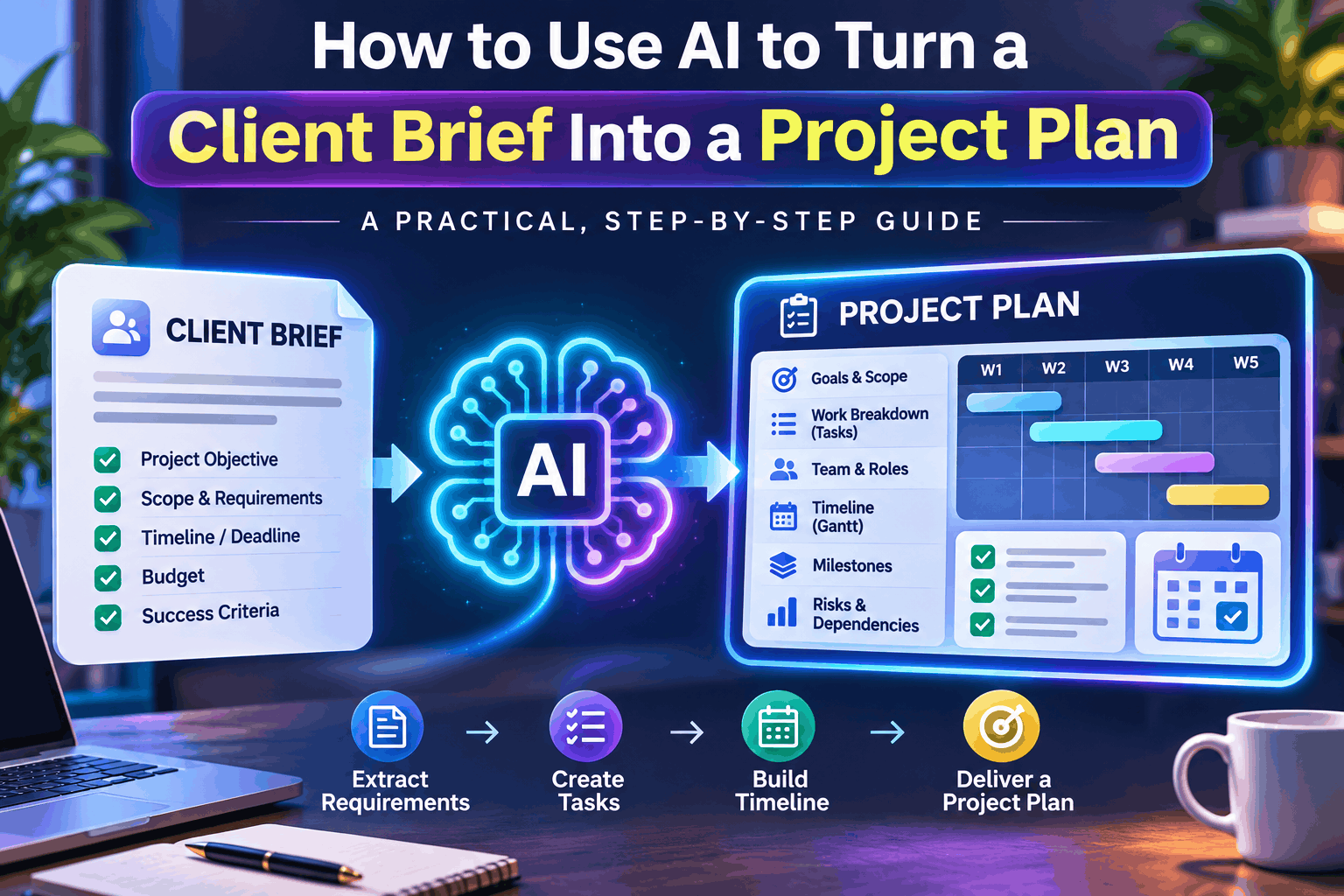
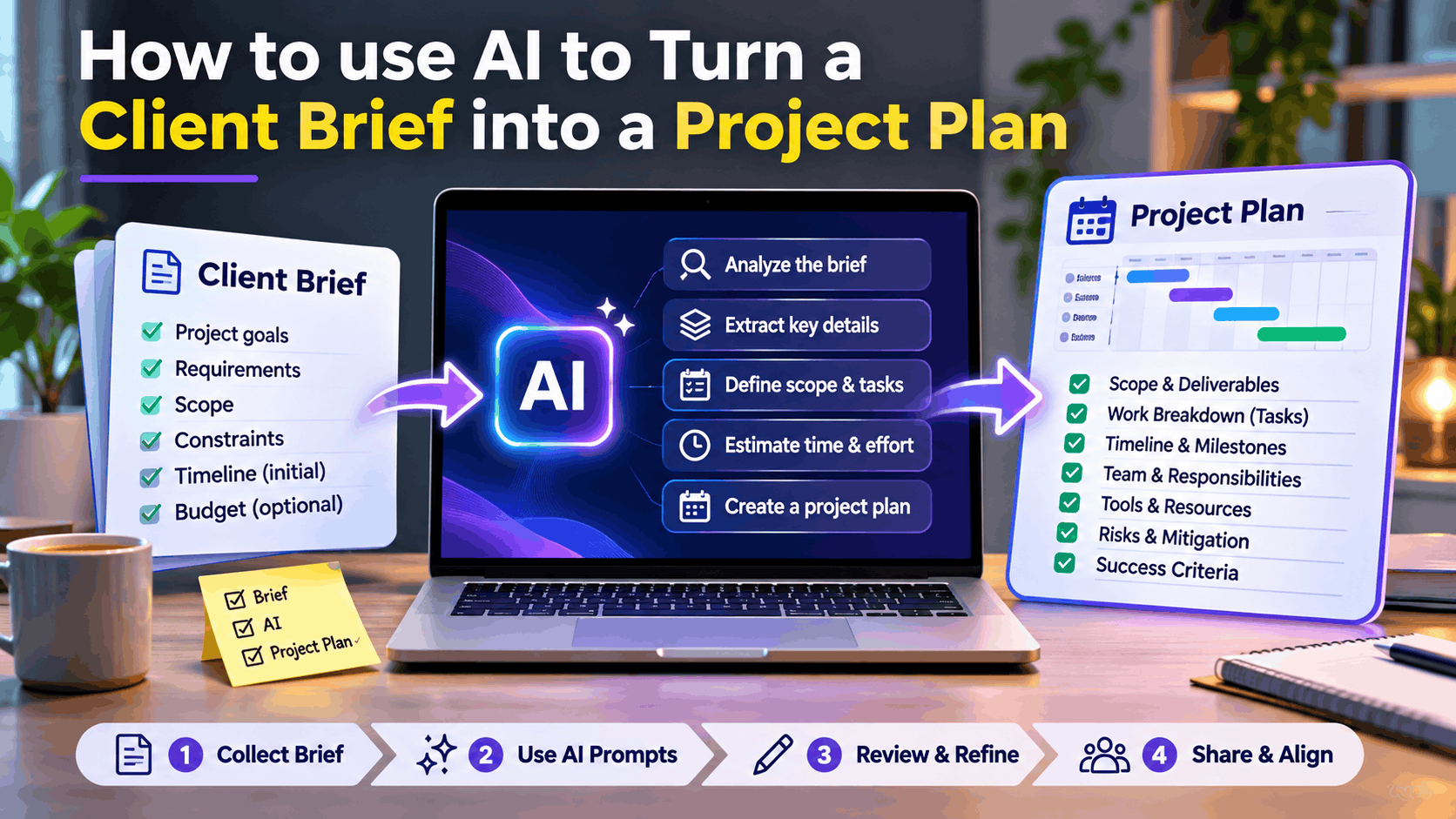
How to Use AI to Turn a Client Brief into a Project Plan
Every successful project starts with a clear understanding of what the client wants. However, turning an unstructured client brief into a practical project plan can be challenging.
Freelancers, consultants, agencies, and project managers often receive client requirements through emails, WhatsApp messages, online meetings, PDFs, or informal conversations. These briefs may contain incomplete information, unclear expectations, changing priorities, and unrealistic deadlines.
This is where Artificial Intelligence (AI) can make a significant difference.
With the right AI tools and prompts, you can transform a simple client brief into a structured project plan that includes objectives, deliverables, tasks, timelines, milestones, resource requirements, risks, and estimated costs.
In this guide, we’ll explore how to use AI to streamline the entire process, reduce planning time, and deliver more professional project proposals.
1. Why Turn a Client Brief into a Structured Project Plan?
A client brief explains what the client wants to achieve. A project plan explains how you will achieve it.
These are two different things.
For example, a client might send this requirement:
“We need a modern business website with an admin dashboard, customer registration, payment integration, and mobile-friendly design. We want to launch within six weeks.”
Although this provides a general direction, several important questions remain unanswered:
- How many website pages are required?
- What features should the admin dashboard include?
- Which payment gateway should be integrated?
- Are UI/UX designs already available?
- Who will provide the website content?
- What are the testing and deployment requirements?
- What happens if the scope changes?
Without a structured project plan, these unanswered questions can lead to misunderstandings, scope creep, missed deadlines, and budget overruns.
AI helps convert these initial requirements into an actionable framework.
2. Choose the Right AI Tools
You don’t need expensive project management software to get started. Several free or freemium tools can help you build a complete project plan.
| AI Tool | How to Use It |
|---|---|
| ChatGPT | Analyze client briefs, extract requirements, generate tasks and timelines |
| Google Gemini | Summarize documents and identify missing information |
| Claude | Analyze lengthy documents and organize complex requirements |
| Google Docs | Store and refine project documentation |
| Google Sheets | Create task trackers, estimates, and project schedules |
| Trello | Organize tasks and monitor project progress |
| Notion | Maintain project documentation and knowledge |
Recommended approach: Use ChatGPT or Gemini for requirement analysis, Google Sheets for planning, and Trello or Notion for execution.
3. Step One: Collect and Organize the Client Brief
Before using AI, collect all available information about the project.
Your inputs may include:
- Client emails and messages.
- Business requirements documents.
- PDF proposals or RFP documents.
- Meeting notes.
- Reference websites or applications.
- Existing technical documentation.
- Budget and delivery expectations.
Combine these details into a single document.
Remove duplicate information and organize the brief into logical sections.
A useful structure includes:
Business Information
- Client name and industry.
- Business objectives.
- Target audience.
- Current business challenges.
Project Requirements
- Functional requirements.
- Technical requirements.
- Design expectations.
- Third-party integrations.
Project Constraints
- Budget.
- Expected delivery date.
- Available resources.
- Technology preferences.
The better your input, the more useful your AI-generated output will be.
4. Step Two: Use AI to Analyze the Client Brief
Now provide the collected information to your preferred AI assistant.
Ask it to identify the project objectives, functional requirements, technical requirements, assumptions, dependencies, and missing information.
Example AI Prompt
“Act as a senior business analyst and project manager.
Analyze the following client brief and convert it into a structured requirements document.
Identify:
- Business objectives.
- Project goals.
- Functional requirements.
- Non-functional requirements.
- Technical requirements.
- Expected deliverables.
- Project constraints.
- Assumptions and dependencies.
- Potential risks.
- Missing information requiring client clarification.
Separate confirmed requirements from assumptions and recommendations.
Client brief:
[Paste your client brief here]”
AI will help you organize scattered information into a structured requirements document.
Important: Never treat AI-generated assumptions as confirmed client requirements. Validate unclear details with the client before committing to scope, cost, or delivery dates.
5. Step Three: Convert Requirements into Project Scope
Once the requirements are organized, the next step is defining the project scope.
The scope describes exactly what will be delivered and what is excluded.
For example, a business website project might include:
In Scope
- Responsive website design.
- Homepage and service pages.
- Customer registration and login.
- Admin dashboard.
- Payment gateway integration.
- Basic SEO configuration.
- Testing and deployment.
Out of Scope
- Native mobile application.
- Advanced CRM integration.
- Custom ERP development.
- Ongoing content marketing.
- Post-launch feature development.
Example AI Prompt
“Act as an experienced project delivery manager.
Based on the analyzed requirements, prepare a detailed project scope document.
Include:
- Project overview.
- Objectives.
- Scope of work.
- Functional deliverables.
- Technical deliverables.
- Out-of-scope activities.
- Assumptions.
- Dependencies.
- Acceptance criteria.
Present the results in a professional format suitable for sharing with a client.”
This step is particularly important for freelancers because it helps prevent scope creep and establishes clear delivery expectations.
6. Step Four: Break the Project into Tasks and Activities
A project scope is not enough to execute a project.
You need to break every deliverable into smaller, manageable tasks.
This is commonly known as a Work Breakdown Structure (WBS).
For example:
Project: Business Website Development
- Discovery and Planning
- Client requirement discussion.
- Competitor analysis.
- Technical feasibility assessment.
- Project scope approval.
- UI/UX Design
- Wireframe creation.
- Homepage design.
- Internal page design.
- Client design approval.
- Development
- Frontend development.
- Backend development.
- Database implementation.
- Admin dashboard development.
- Payment gateway integration.
- Testing
- Functional testing.
- Responsive testing.
- Security testing.
- Performance testing.
- User acceptance testing.
- Deployment
- Production environment setup.
- Domain configuration.
- Application deployment.
- Final client handover.
Example AI Prompt
“Act as a senior project manager.
Convert the approved project scope into a detailed Work Breakdown Structure (WBS).
For each task, provide:
- Task ID.
- Task name.
- Description.
- Deliverable.
- Estimated effort in hours.
- Priority.
- Dependencies.
- Responsible role.
Organize the tasks by project phase and ensure that no major delivery activity is missed.”
You can export the generated structure into Google Sheets or Excel for further refinement.
7. Step Five: Generate Project Timelines and Milestones
One of the most useful applications of AI is generating an initial project schedule.
Based on the task list, AI can suggest estimated durations, dependencies, milestones, and delivery phases.
Consider this example for a six-week website development project.
| Week | Activities | Milestone |
|---|---|---|
| Week 1 | Discovery and requirement analysis | Scope approval |
| Week 2 | UI/UX design | Design approval |
| Week 3 | Frontend and backend development | Core development |
| Week 4 | Feature development and integrations | Feature completion |
| Week 5 | Testing and bug fixing | UAT approval |
| Week 6 | Deployment and handover | Project launch |
Example AI Prompt
“Using the project task breakdown, generate a six-week project schedule.
Include:
- Start and end dates.
- Task durations.
- Dependencies.
- Critical activities.
- Project milestones.
- Review and approval checkpoints.
- Delivery risks.
Identify activities that can run in parallel.
Highlight tasks that may delay the overall project delivery.”
AI can generate an initial schedule, but the project manager must validate resource availability, task dependencies, and realistic delivery estimates.
8. Step Six: Estimate Budget and Resource Requirements
A professional project plan should explain what resources are required and how much the project is expected to cost.
AI can help estimate the initial effort and identify the roles needed for delivery.
For example:
| Resource | Estimated Effort |
|---|---|
| Business Analyst | 16 hours |
| UI/UX Designer | 32 hours |
| Frontend Developer | 60 hours |
| Backend Developer | 80 hours |
| QA Engineer | 24 hours |
| Project Manager | 20 hours |
Total estimated effort: 232 hours.
You can calculate the project budget using your hourly rates.
For example, at an average blended rate of $25 per hour:
232 × $25 = $5,800.
This is an illustrative estimate, not a market quotation.
Example AI Prompt
“Act as a project estimation consultant.
Based on the project scope and Work Breakdown Structure, estimate:
- Required project roles.
- Estimated effort per role.
- Development and testing effort.
- Infrastructure and software requirements.
- Third-party licensing costs.
- Project management overhead.
- Contingency allowance.
- Total estimated project budget.
Provide optimistic, realistic, and conservative estimates.
Clearly identify assumptions and areas requiring manual validation.”
Always validate AI estimates against actual team productivity, historical project data, vendor quotations, and your commercial pricing model.
9. Step Seven: Identify Project Risks and Dependencies
Even well-planned projects can encounter unexpected challenges.
AI can help identify potential risks before development begins.
For example:
| Risk | Impact | Mitigation |
|---|---|---|
| Delayed client feedback | Timeline extension | Define approval deadlines |
| Changing requirements | Scope creep | Implement change control |
| Payment gateway delays | Integration delays | Confirm provider access early |
| Security vulnerabilities | Production risks | Conduct security testing |
| Resource unavailability | Delivery delays | Maintain backup resources |
Example AI Prompt
“Act as an enterprise project risk management consultant.
Analyze this project plan and identify potential delivery risks.
For each risk, provide:
- Risk description.
- Probability.
- Business impact.
- Severity.
- Mitigation strategy.
- Contingency plan.
- Responsible owner.
Also identify external dependencies and client-side responsibilities.”
This gives you a proactive risk management framework rather than waiting for problems to occur.
10. Step Eight: Generate the Final Project Plan
At this stage, you have all the major building blocks.
Ask AI to consolidate the information into a professional project plan.
Your final document should include:
- Executive summary.
- Project background.
- Business objectives.
- Project scope.
- Functional and technical requirements.
- Work Breakdown Structure.
- Deliverables.
- Project schedule.
- Milestones.
- Resource allocation.
- Budget estimation.
- Risk management.
- Communication plan.
- Quality assurance strategy.
- Acceptance criteria.
- Change management process.
- Client approval requirements.
Final AI Prompt
“Act as a senior program manager with experience delivering enterprise technology projects.
Using all the previously analyzed information, generate a comprehensive Project Management Plan.
The document must include:
- Executive summary.
- Business objectives.
- Project scope.
- Deliverables.
- Detailed WBS.
- Project timeline.
- Milestones.
- Resource allocation.
- Budget and effort estimates.
- Risks and mitigation strategies.
- Dependencies.
- Communication and governance.
- Quality assurance.
- Change management.
- Acceptance criteria.
Use professional project management terminology.
Clearly distinguish confirmed requirements, assumptions, and recommendations.
Ensure that the document is structured for client review and approval.”
You now have a strong starting point for a client-ready project plan.
11. Step Nine: Review, Validate, and Share with the Client
AI-generated project plans should never be sent directly to clients without human review.
Before sharing, validate the following:
- Are all client requirements covered?
- Are the deliverables clearly defined?
- Are timelines realistic?
- Are resource estimates accurate?
- Are assumptions documented?
- Are dependencies identified?
- Are acceptance criteria measurable?
- Are exclusions clearly stated?
- Has the client approved the proposed scope?
Once reviewed, convert the document into PDF or Word format and share it with the client.
You can also import the task list into Trello, Notion, or another project management platform.
12. A Practical AI-Powered Project Planning Workflow
Here is a simple workflow you can reuse for almost every freelance or consulting engagement.
Client Brief → AI Analysis → Requirements → Project Scope → WBS → Timeline → Budget → Risk Assessment → Final Project Plan → Client Approval
The biggest advantage is that you can standardize the process and reuse your prompts for different projects.
Instead of starting from scratch every time, build a reusable AI-powered project planning template.
13. Best Practices for Using AI in Project Planning
To get better results, follow these practical recommendations:
1. Provide complete context
Include the business objectives, technical requirements, budget, and delivery expectations.
2. Use structured prompts
Tell AI exactly what role it should assume, what information it should analyze, and what output you expect.
3. Work in multiple stages
Don’t try to generate an entire project plan using one generic prompt. Analyze, refine, and build each section progressively.
4. Validate estimates
AI can suggest effort and timelines, but real project experience must guide final commitments.
5. Protect client information
Avoid uploading confidential business information, personal data, credentials, or sensitive documents into AI tools without appropriate authorization and data protection controls.
6. Maintain human oversight
AI should support your decision-making, not replace professional judgment.
Conclusion: Turn Every Client Brief into an Actionable Project Plan with AI
Creating a project plan doesn’t have to be a time-consuming manual exercise.
With AI-powered tools, freelancers and consultants can transform unstructured client requirements into organized project documentation, actionable tasks, realistic schedules, resource estimates, and risk management plans.
The real opportunity is not simply generating documents faster. It is building a repeatable project delivery process that improves communication, increases transparency, and helps you deliver projects more professionally.
Start with one client brief, experiment with the prompts in this guide, and build your own reusable AI project planning workflow.
Remember: AI can help you plan faster, but successful project delivery still depends on clear communication, realistic commitments, and human expertise.
Suggested SEO Details
- SEO Title: How to Use AI to Turn a Client Brief into a Project Plan
- Meta Description: Learn how to use ChatGPT and other AI tools to convert client briefs into structured project plans, timelines, budgets, tasks, milestones, and deliverables.
- Focus Keyword: AI project planning
- Secondary Keywords: Client brief to project plan, AI project management tools, ChatGPT for project planning, AI for freelancers, automated project planning.
- Suggested URL Slug:
ai-turn-client-brief-into-project-plan - Category: Artificial Intelligence / Productivity
- Tags: AI Tools, Project Management, ChatGPT, Freelancing, Client Management, Productivity, Project Planning
- Featured Image Alt Text: How to use AI to transform a client brief into a structured project plan with tasks, timelines, deliverables, and milestones.