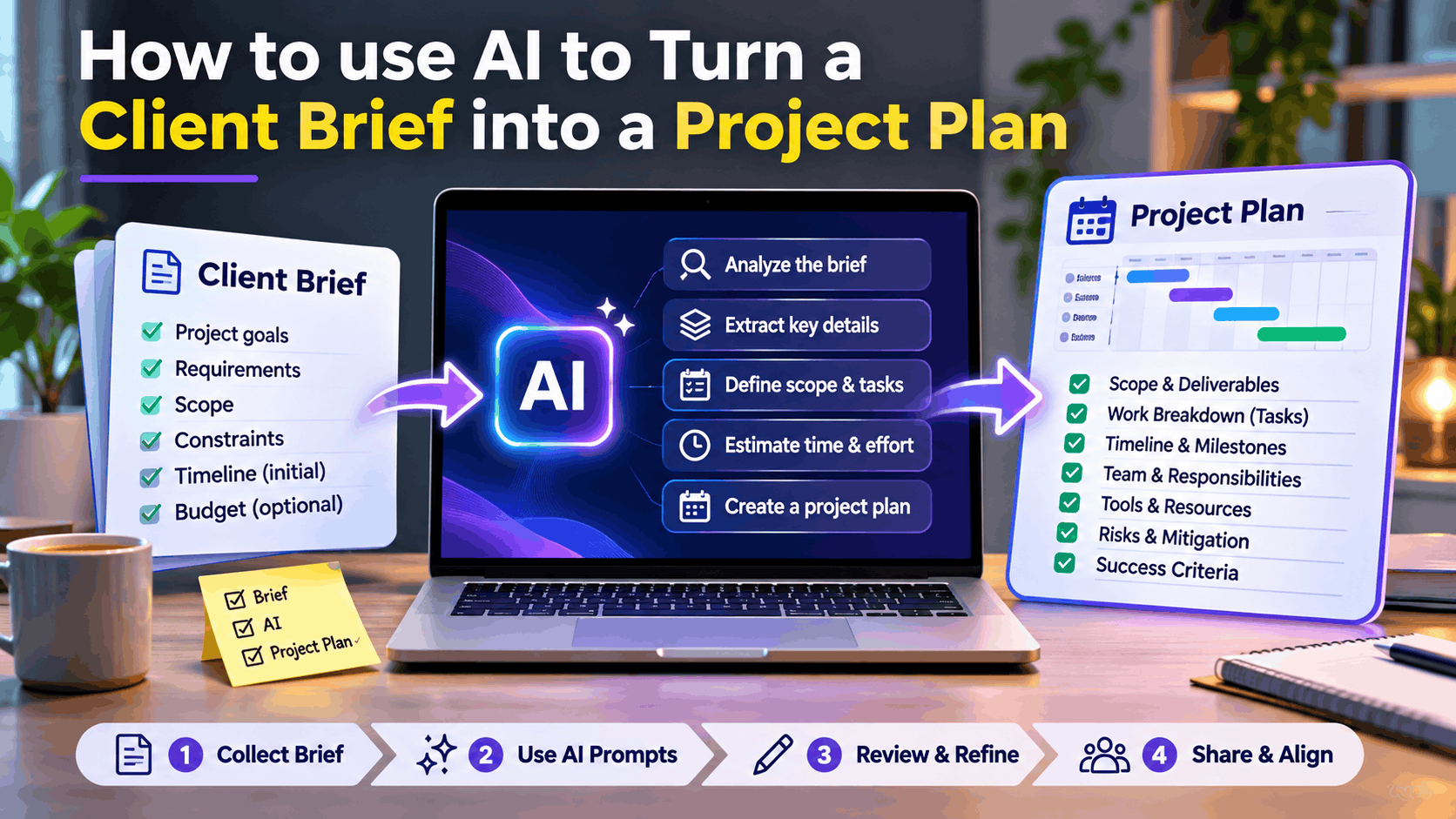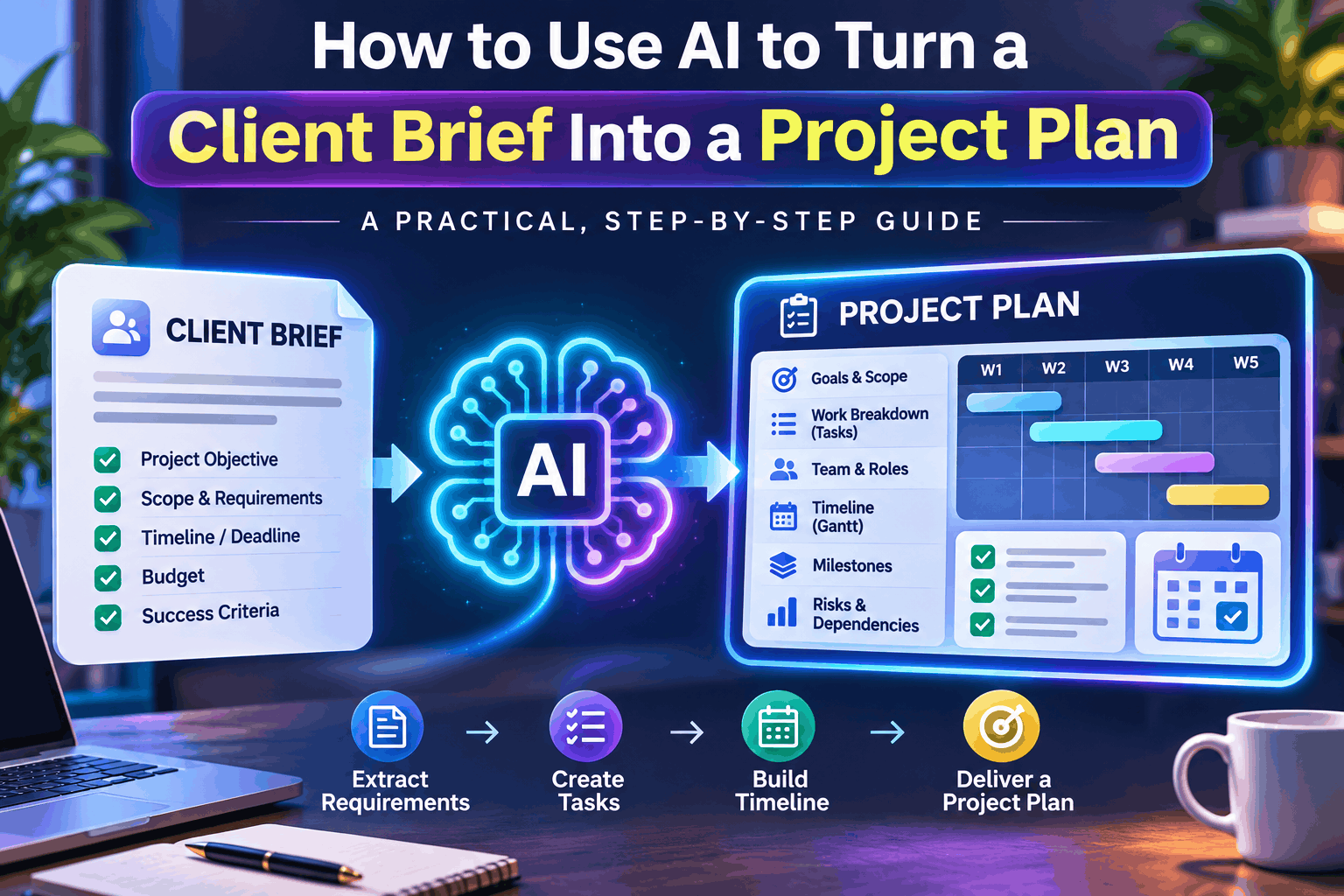
How to Use AI to Turn a Client Brief Into a Project Plan (2026 Guide)

Introduction: From Client Requirements to a Clear Action Plan
Every successful freelance project starts with understanding what the client actually needs.
But client briefs are rarely perfect.
Some clients send detailed documents explaining their objectives, expectations, timelines, and budgets. Others provide a few sentences over email or WhatsApp, expecting you to figure out the rest.
For freelancers, consultants, and small agencies, transforming these scattered requirements into a structured project plan can take hours.
That’s where artificial intelligence can make a meaningful difference.
AI tools such as ChatGPT, Claude, and Gemini can help analyze client requirements, identify missing information, organize deliverables, estimate work, and generate a practical project roadmap.
Instead of spending hours manually preparing a project plan, you can create a useful first draft in minutes and refine it with your professional judgment.
In this guide, you’ll learn how to use AI to turn a client brief into a project plan, with reusable prompts, real-world examples, and a workflow you can apply to your next client project.
1. What Is a Client Brief, and Why Does It Matter?
A client brief is a document or message describing what a client wants to achieve through a project.
It typically includes:
- Business goals and expected outcomes
- Project requirements and deliverables
- Target audience or end users
- Budget expectations
- Preferred timeline and deadlines
- Technical or creative preferences
- Success criteria
However, many client briefs are incomplete, ambiguous, or inconsistent.
For example, a client might write:
We need a modern website for our consulting business. It should look professional, work on mobile, include a contact form, and be ready within three weeks. Our budget is ₹40,000.
Although this sounds straightforward, several questions remain unanswered.
How many pages are required? Who will provide the content? Does the client need hosting? Will the website include a blog? Who will handle maintenance after launch?
Starting development without answering these questions can lead to scope creep, missed deadlines, and disagreements.
AI can help identify these gaps before work begins.
2. How AI Helps Convert Client Briefs Into Project Plans
AI acts as a planning assistant that transforms unstructured information into organized project documentation.
Client brief
Emails, meeting notes, PDFs, or messages
AI analysis
Extract requirements, identify gaps, suggest tasks and dependencies
Reviewed project plan
Scope, milestones, timeline, responsibilities, budget and risks
AI can assist with six important project planning activities:
| Activity | How AI helps |
|---|---|
| Requirement analysis | Extracts objectives, features, and constraints |
| Scope definition | Organizes included and excluded work |
| Task breakdown | Converts deliverables into manageable tasks |
| Timeline planning | Suggests phases, dependencies, and milestones |
| Risk assessment | Identifies potential delays and missing inputs |
| Documentation | Drafts client-ready project plans and status templates |
AI-generated plans still need human review. In particular, estimates, budgets, dependencies, and commitments should be validated before sharing them with a client.
3. Step 1: Collect and Organize the Client Brief
Before using AI, gather all relevant client information in one place.
This may include emails, meeting notes, questionnaires, proposal documents, and chat conversations.
For example, consider this fictional client brief:
Sample project: Consulting company website
Client: ABC Consulting
Objective: Build a professional business website to generate customer inquiries.
Requirements: Mobile-friendly design, service pages, contact form, blog, and basic SEO.
Timeline: Three weeks
Budget: ₹40,000
Technology preference: WordPress
This information becomes the input for your AI planning workflow.
Before uploading client documents to any AI service, remove unnecessary personal data, credentials, confidential business information, and other sensitive details. Follow the client’s confidentiality requirements and the tool’s data-handling policies.
4. Step 2: Use AI to Analyze the Requirements
The first task is not to generate a schedule. It is to understand the brief.
Use AI to extract the client’s objectives, explicit requirements, assumptions, constraints, and unanswered questions.
AI prompt: Client brief analysis
Copy-and-use prompt Copy
Act as a senior project manager and business analyst.
Analyze the client brief below and extract:
1. Business objectives
2. Explicit functional requirements
3. Non-functional requirements
4. Expected deliverables
5. Timeline and budget constraints
6. Missing information and clarification questions
7. Risks and dependencies
Separate confirmed facts from assumptions.
Do not invent requirements.
Client brief:
[PASTE CLIENT BRIEF]
The output should give you a structured requirement summary rather than simply repeating the client’s original message.
For the website example, AI might identify missing decisions about the number of pages, content ownership, hosting, design revisions, and launch approval.
These questions should be resolved before finalizing the scope.
5. Step 3: Convert Requirements Into a Project Scope
Once the requirements are understood, ask AI to draft a scope of work.
A scope document defines exactly what will be delivered and what falls outside the agreed project.
For the sample WordPress website, a proposed scope might look like this:
| In scope | Out of scope |
|---|---|
| Responsive website design | Custom mobile application |
| Up to five standard pages | E-commerce functionality |
| Contact form | Paid advertising campaigns |
| Blog setup | Ongoing blog writing |
| Basic on-page SEO | Long-term SEO management |
| Testing and deployment | Unlimited post-launch changes |
These are proposed boundaries, not confirmed client agreements.
AI prompt: Scope definition
Based on the analyzed client requirements, create a professional project scope document. Include objectives, proposed deliverables, acceptance criteria, exclusions, dependencies, assumptions, and client responsibilities. Clearly flag all items requiring client approval.
This step helps prevent scope creep, where new requirements gradually expand a project without corresponding adjustments to the budget or timeline.
6. Step 4: Generate a Work Breakdown Structure
A Work Breakdown Structure (WBS) divides a project into smaller, manageable pieces of work.
Instead of treating website development as one large task, AI can organize it into phases and activities.
Example: AI-generated WBS
| Phase | Key tasks | Deliverable |
|---|---|---|
| Discovery | Confirm requirements, content and access | Approved requirements |
| Design | Wireframes, layout and visual review | Approved design |
| Development | WordPress setup, pages, forms, blog | Functional website |
| Testing | Mobile, browser, form and SEO checks | Tested website |
| Launch | Deployment, handover and documentation | Live website |
AI prompt: Task breakdown
Create a detailed Work Breakdown Structure for this project. Divide the work into phases, deliverables, tasks, and subtasks. Include task dependencies, suggested owners, estimated effort, and acceptance criteria. Flag estimates that need validation.
For more complex projects, AI can also suggest technical dependencies, parallel workstreams, and tasks on the critical path.
7. Step 5: Create a Realistic Project Timeline
A project plan becomes useful when each activity has a clear sequence, estimated duration, and milestone.
For our fictional website project, AI could suggest the following three-week schedule.
Example project timeline
15 working days
Week 1
Week 2
Week 3
Discovery
Days 1–2
Design
Days 3–5
Development
Days 6–11
Testing
Days 12–13
Launch
Days 14–15
Illustrative schedule, assuming prompt approvals, available content and no major changes.
AI prompt: Timeline generation
Generate a realistic project timeline using the approved task breakdown. Include estimated durations, dependencies, milestones, review checkpoints, and contingency recommendations. Identify any scheduling conflicts and explain which assumptions must hold for the deadline to be achievable.
Remember that AI cannot know your team’s actual capacity unless you provide it.
A good project manager checks resource availability, holidays, client response times, and technical complexity before committing to a deadline.
8. Step 6: Estimate Effort and Project Costs
AI can help organize cost estimates, but it should not be treated as an authoritative pricing engine.
For example, suppose a freelance developer charges ₹1,000 per hour.
An illustrative estimate might be:
| Activity | Estimated hours | Cost |
|---|---|---|
| Discovery | 4 | ₹4,000 |
| Design | 8 | ₹8,000 |
| Development | 18 | ₹18,000 |
| Testing | 5 | ₹5,000 |
| Launch and handover | 3 | ₹3,000 |
| Total | 38 | ₹38,000 |
This leaves ₹2,000 against the example client’s ₹40,000 budget, before considering taxes, hosting, licenses, unexpected work, and other costs.
That narrow margin is a signal to revisit scope, pricing, or contingency rather than assume the project is comfortably profitable.
AI prompt: Effort estimation
Estimate the effort required for each task in the project plan. Provide optimistic, most likely, and pessimistic estimates. Calculate costs using an hourly rate of ₹1,000. Highlight uncertain estimates and compare the total against a budget of ₹40,000. Do not assume that the budget guarantees feasibility.
9. Step 7: Identify Project Risks and Dependencies
Every client project has risks.
AI can help you think through potential problems before they become expensive.
For example:
| Risk | Potential impact | Mitigation |
|---|---|---|
| Delayed client content | Development delays | Request content early |
| Scope changes | Budget overrun | Use change requests |
| Delayed design approval | Timeline slippage | Set review deadlines |
| Plugin incompatibility | Technical issues | Test in staging |
| Late feedback | Launch delays | Schedule review checkpoints |
You can also ask AI to assign preliminary likelihood and impact ratings.
However, those ratings are subjective unless supported by relevant project evidence.
AI prompt: Risk register
Create a project risk register covering scope, schedule, budget, quality, dependencies, security, and stakeholder communication. Include likelihood, impact, mitigation actions, contingency actions, and suggested risk owners. Distinguish evidence-based risks from hypothetical risks.
10. Step 8: Turn the Draft Into a Client-Ready Project Plan
After reviewing the AI outputs, consolidate them into one professional document.
Your final project plan should include:
- Project overview and business objectives
- Confirmed requirements and scope
- Deliverables and acceptance criteria
- Work Breakdown Structure
- Project timeline and milestones
- Roles and responsibilities
- Budget and commercial assumptions
- Risks and dependencies
- Communication and reporting plan
- Change management and approval process
Master AI prompt: Generate a complete project plan
Reusable master prompt Copy
Act as an experienced project manager with expertise in freelance and agency projects.
Convert the client brief below into a comprehensive, client-ready project plan.
Include:
1. Executive summary
2. Business objectives
3. Confirmed requirements and clarification questions
4. Scope of work and exclusions
5. Deliverables with acceptance criteria
6. Work Breakdown Structure
7. Task estimates and dependencies
8. Timeline with milestones
9. Roles and responsibilities
10. Budget and assumptions
11. Risk register
12. Communication plan
13. Change request process
14. Client approval checklist
Rules:
– Do not invent client requirements.
– Label assumptions separately from confirmed facts.
– Highlight missing information.
– Treat estimates as preliminary.
– Use clear tables and professional language.
– Make the plan practical for a freelancer or small agency.
Client brief:
[PASTE CLIENT BRIEF]
This master prompt works for website development, content marketing, graphic design, software implementation, automation, and many other client projects.
11. Best AI Tools for Client Project Planning
Different tools are useful at different stages of the workflow.
| Tool | Best use |
|---|---|
| ChatGPT | Requirement analysis, planning, task breakdown |
| Claude | Reviewing long briefs and drafting structured documents |
| Google Gemini | Planning assistance and Google Workspace-oriented workflows |
| Notion | Organizing project documentation and task databases |
| Trello | Visual task tracking and Kanban boards |
| ClickUp | Managing tasks, milestones, and project workflows |
You do not need a complicated technology stack to get started.
A basic workflow can use an AI assistant for analysis, Google Docs for the approved project plan, and Google Sheets or Trello for task tracking.
Free plans and AI capabilities vary by provider, so verify current limits before selecting a tool for client work.
12. Common Mistakes to Avoid
AI makes project planning faster, but poor inputs and unchecked outputs can create problems.
Mistake 1: Treating assumptions as confirmed requirements. AI may propose features the client never requested. Keep suggestions separate from approved scope.
Mistake 2: Accepting timelines without validation. AI estimates do not automatically account for your actual workload, client approvals, or unexpected technical issues.
Mistake 3: Ignoring scope exclusions. A plan that only describes included work leaves room for misunderstandings.
Mistake 4: Sharing sensitive client data unnecessarily. Use approved AI tools, minimize confidential information, and respect contractual restrictions.
Mistake 5: Sending the first AI output directly to the client. Review deliverables, estimates, dependencies, commercial terms, and acceptance criteria before sharing.
13. A Repeatable AI Project Planning Workflow
For your next client project, use this practical sequence:
1
Collect the brief
Consolidate messages, documents and meeting notes
2
Analyze requirements
Extract objectives, constraints and open questions
3
Confirm scope
Agree on deliverables, exclusions and responsibilities
4
Generate the plan
Create tasks, estimates, dependencies and milestones
5
Review feasibility
Validate capacity, budget, risks and timeline
6
Get client approval
Finalize the baseline and track future changes
With a reasonably clear brief, this workflow can help you produce a first planning draft in approximately 20–40 minutes. More complex projects may require substantially more discovery and validation.
14. Frequently Asked Questions
Can ChatGPT create a complete project plan from a client brief?
Yes. ChatGPT can draft requirements, scope, deliverables, tasks, timelines, risks, and project documentation. You still need to verify assumptions, estimates, and feasibility before committing to the plan.
Can I use AI project planning tools for free?
Yes. Several AI assistants and project management tools offer free access or limited free tiers. Features, usage allowances, and availability can change.
Can AI generate a Gantt chart?
AI can create a task schedule and dependency table that you can use to build a Gantt chart in a spreadsheet or compatible project management tool. Some tools also support generating charts directly.
Is AI project planning suitable for freelancers?
Absolutely. Freelancers can use AI to structure client requirements, prepare project estimates, document deliverables, and communicate more professionally without needing a dedicated project manager.
Can AI replace a project manager?
AI can automate parts of project planning and documentation, but human judgment remains essential for stakeholder decisions, negotiation, accountability, and managing changing requirements.
Conclusion: Turn Every Client Brief Into an Actionable Plan
A clear project plan is one of the most valuable things you can create before starting client work.
It establishes expectations, clarifies responsibilities, protects project scope, and provides a roadmap for successful delivery.
With AI, freelancers and small agencies can reduce the time spent preparing planning documents and focus more energy on delivering quality work.
The key is to use AI as a capable assistant, not as an unquestioned authority.
Start with the client brief, identify missing information, define the scope, build a realistic schedule, validate the budget, and secure approval before execution.
Your next client brief doesn’t have to become another messy collection of messages. It can become a structured, professional project plan.