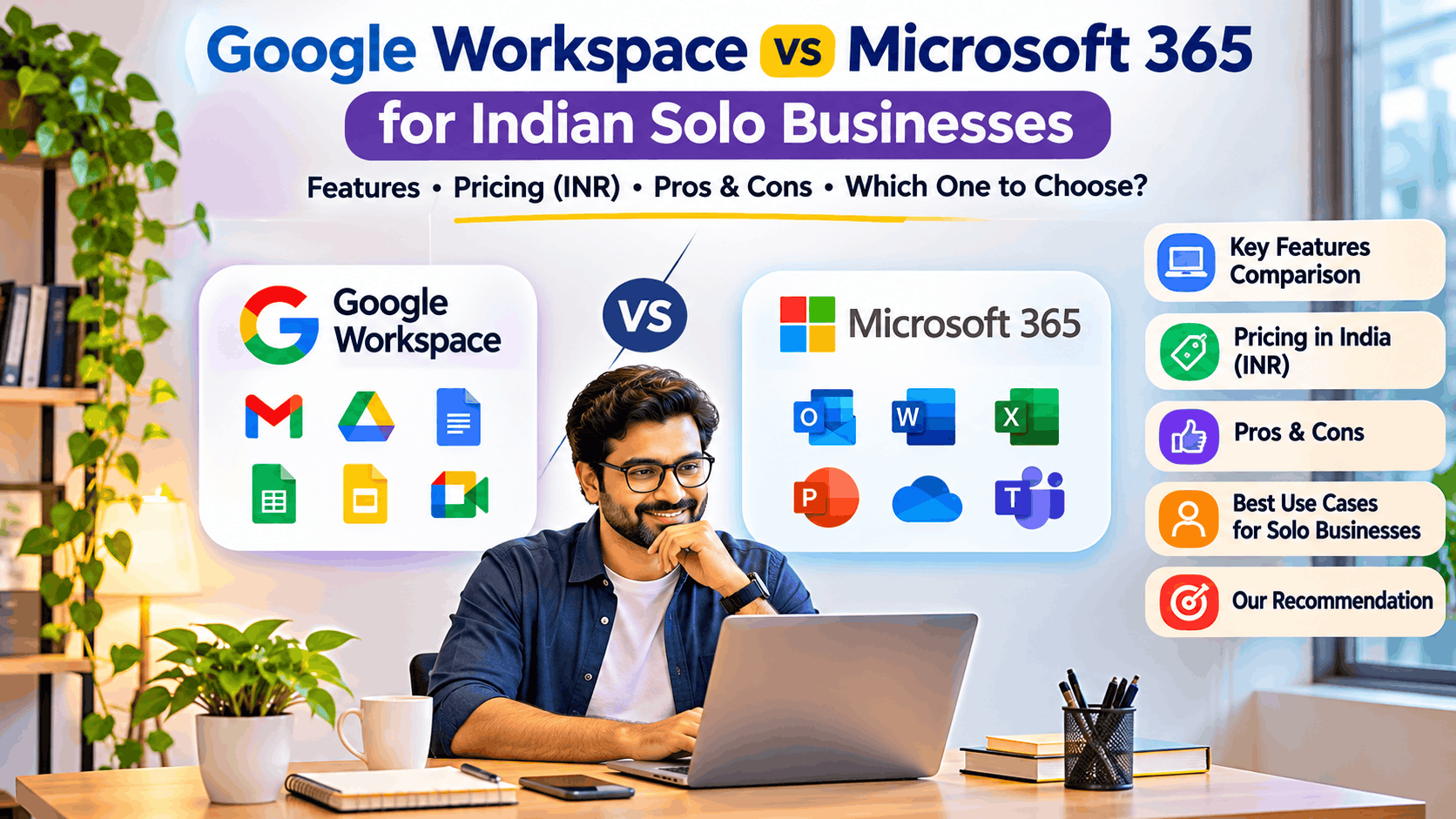
Google Workspace vs Microsoft 365 for Indian Solo Businesses: Which Is Better in 2026?

Running a solo business in India today means managing much more than customers and sales. Freelancers, consultants, independent developers, digital marketers, small agencies, and solo entrepreneurs need professional email, document creation, cloud storage, video meetings, invoicing workflows, collaboration tools, and reliable file access—without spending unnecessarily on software subscriptions.
Two of the most popular productivity platforms are Google Workspace and Microsoft 365. Both offer business email, cloud storage, office applications, collaboration, security features, and AI-powered capabilities. However, their approach to productivity is quite different.
Google Workspace is built around browser-first collaboration, simplicity, and real-time sharing. Microsoft 365 is built around a broader productivity ecosystem with powerful desktop applications, especially Word, Excel, PowerPoint, Outlook, and increasingly AI-driven workflows.
So, which one makes more sense for an Indian solo business owner?
This guide compares Google Workspace and Microsoft 365 based on features, usability, pricing considerations in India, business use cases, advantages, limitations, and long-term value.
1. What Are Google Workspace and Microsoft 365?
Microsoft 365 and Google Workspace Comparison
Google WorkspaceCloud-first productivity ecosystem
Surface Studio 2 Essentials Bundle
Microsoft 365Desktop and cloud productivity ecosystem
Google Workspace
Google Workspace is Google’s subscription-based business productivity platform. It brings business email, document creation, cloud storage, communication, and collaboration into a single ecosystem.
Its core applications include:
- Gmail for professional email
- Google Drive for cloud storage
- Google Docs for documents
- Google Sheets for spreadsheets
- Google Slides for presentations
- Google Meet for video meetings
- Google Calendar for scheduling
- Google Forms for surveys and data collection
For a solo business, Google Workspace is particularly attractive because most activities can be managed from a browser, making it easy to work from a laptop, mobile device, or shared computer.
Microsoft 365
Microsoft 365 combines Microsoft’s productivity applications with cloud storage, collaboration, business email, and security services.
Its key applications include:
- Microsoft Word
- Microsoft Excel
- Microsoft PowerPoint
- Microsoft Outlook
- Microsoft OneDrive
- Microsoft Teams
- Microsoft Forms
- Microsoft SharePoint, depending on the plan
Microsoft 365 is especially useful for businesses that regularly work with complex documents, Excel spreadsheets, client presentations, financial models, and corporate customers using Microsoft Office.
2. Feature Comparison: Google Workspace vs Microsoft 365
| Feature | Google Workspace | Microsoft 365 |
|---|---|---|
| Business email | Gmail | Outlook |
| Custom domain email | Yes | Yes, on eligible business plans |
| Cloud storage | Google Drive | OneDrive |
| Document editor | Google Docs | Microsoft Word |
| Spreadsheet | Google Sheets | Microsoft Excel |
| Presentation | Google Slides | PowerPoint |
| Video meetings | Google Meet | Microsoft Teams |
| Calendar | Google Calendar | Outlook Calendar |
| Forms & surveys | Google Forms | Microsoft Forms |
| Real-time collaboration | Excellent | Excellent |
| Desktop applications | Primarily browser-based | Strong desktop apps on eligible plans |
| Mobile applications | Excellent | Excellent |
| Offline work | Available with setup | Strong offline support in desktop apps |
| AI capabilities | Gemini, depending on plan | Copilot, depending on plan |
| File compatibility | Good | Excellent with Office formats |
| Ease of setup | Very easy | Easy, with more configuration options |
| Best suited for | Freelancers, consultants, solo startups | Office-heavy businesses and professional consultants |
The biggest difference is not simply the number of applications available. It is the way each platform fits into your daily workflow.
3. Google Workspace: Best for Simplicity and Online Collaboration
Google Workspace is a great choice if your business primarily operates online.
Imagine a freelance consultant managing client projects, proposals, reports, marketing campaigns, and meetings. Most of these activities can be completed using Gmail, Google Docs, Sheets, Drive, and Meet without installing desktop software.
Key benefits
1. Professional email with your own domain
Instead of using a personal Gmail address, you can create a professional email address such as:
- hello@yourbusiness.in
- contact@yourbusiness.com
- projects@yourbusiness.in
A custom-domain email helps create a more professional identity when communicating with clients.
2. Easy document collaboration
Google Docs allows you to share proposals, reports, and project documents with clients. Multiple people can review the same document, comment, and make changes without sending multiple copies through email.
3. Simple cloud file management
Google Drive can store your business documents, client deliverables, contracts, invoices, presentations, marketing assets, and project files.
You can organize folders by client, project, financial year, or business activity.
4. Excellent browser-based experience
Google Workspace works well across Windows, macOS, Android, and iOS. For solo entrepreneurs who use multiple devices, this flexibility is useful.
5. Easy client sharing
You can share documents using controlled permissions such as viewer, commenter, or editor. This reduces the need to send attachments repeatedly.
Where Google Workspace may fall short
Google Workspace may not be the ideal option for everyone.
- Advanced Excel functionality may be missing or different in Google Sheets.
- Complex formatting in Word documents may not translate perfectly to Google Docs.
- Some clients expect Microsoft Office files with precise formatting.
- Offline productivity is less seamless for users who depend on traditional desktop applications.
- Google Sheets may not be suitable for complex financial modeling, large datasets, or advanced Excel automation.
For businesses that depend heavily on Office files, these differences can become important.
4. Microsoft 365: Best for Professional Office Work and Advanced Productivity
Microsoft 365 is particularly powerful for solo businesses that work with corporate clients, financial documents, presentations, detailed spreadsheets, or formal proposals.
Key benefits
1. Full desktop productivity applications
Microsoft Word, Excel, and PowerPoint remain extremely valuable for professional business work.
For example:
- Word for proposals, contracts, technical documents, and reports
- Excel for financial calculations, pricing models, budgeting, data analysis, and dashboards
- PowerPoint for client presentations, business proposals, and strategy decks
For many consultants and solution architects, Excel alone can be a strong reason to choose Microsoft 365.
2. Better compatibility with corporate customers
Many Indian enterprises, banks, IT companies, and larger organizations use Microsoft Office extensively.
If your clients regularly send you Excel workbooks, Word documents, PowerPoint decks, and Outlook meeting invitations, Microsoft 365 can make the workflow smoother.
3. Outlook for business communication
Outlook combines email, calendar, meeting management, contacts, and scheduling into a familiar professional interface.
For people managing multiple client engagements, meetings, follow-ups, and deadlines, this can be helpful.
4. OneDrive cloud storage
OneDrive integrates cloud storage with Windows and Microsoft Office applications. Files can be synchronized between your computer and cloud storage, while Office applications support cloud collaboration.
5. Microsoft Teams
Teams can be used for meetings, messaging, collaboration, and sharing files. It is particularly useful when your customers or partners already use Microsoft Teams.
Where Microsoft 365 may fall short
- The ecosystem can feel more complicated for a new solo entrepreneur.
- Desktop application configuration and account management may require additional effort.
- Some business plans include features you may not use.
- Microsoft applications can be resource-intensive on older computers.
- Subscription selection can be confusing because application availability varies by plan.
Microsoft 365 offers more depth, but that depth is not always necessary for a one-person business.
5. Pricing Comparison in India
Pricing is an important factor for solo businesses because every recurring expense affects profitability.
Both platforms offer different subscription plans depending on storage, email, security, desktop applications, and AI features. Pricing and promotional offers can change, so always check the official India pricing pages before purchasing.
| Cost consideration | Google Workspace | Microsoft 365 |
|---|---|---|
| Entry-level business plan | Usually lower-cost cloud productivity options | Multiple personal and business subscription choices |
| Professional email | Business plans | Eligible business plans |
| Cloud storage | Plan-dependent | Plan-dependent |
| Desktop Office applications | Not the primary focus | Included in eligible subscriptions |
| AI features | Plan/add-on dependent | Plan/add-on dependent |
| Annual billing savings | May be available | May be available |
| Extra storage | Plan upgrades/add-ons | Plan upgrades/add-ons |
How to evaluate cost properly
Don’t compare subscriptions only by their monthly price.
Instead, consider:
- Cost per user per month
- Whether professional email is included
- Storage available
- Desktop applications included
- AI features included
- Annual billing discounts
- GST and tax treatment
- Whether you already own a valid Office license
- Whether additional cloud storage is required
For a solo business, even a small recurring subscription can add up over several years. However, saving money on a productivity tool that slows down your work may not be the smartest business decision.
6. Which Platform Is Better for Different Indian Solo Businesses?
Freelance digital marketer
Google Workspace
Campaign documents, client reports, shared spreadsheets, email, forms, and online collaboration.
Understanding the Loan Approval Process in India: A Step-By-Step Guide
Business consultant
Microsoft 365
Detailed proposals, Excel analysis, PowerPoint presentations, and client documentation.
Independent software developer
Google Workspace
Lightweight email, documentation, project tracking, collaboration, and cloud-first workflows.
Young Indian architect designing modern urban skyscrapers
Solution architect or technology consultant
Microsoft 365
Architecture documents, client proposals, Excel costing, detailed technical reports, and executive presentations.
Indian asian woman or lady small business owner
Small online business owner
Google Workspace
Simple operations, cloud sharing, online forms, customer communication, and flexible collaboration.
7. Pros and Cons
Google Workspace
Advantages
- Easy to learn
- Excellent real-time collaboration
- Clean browser-based workflow
- Simple file sharing
- Good multi-device experience
- Excellent for lightweight business operations
Limitations
- Less powerful for advanced spreadsheets
- Not a full replacement for desktop Office
- Formatting differences in Office documents
- Offline workflows may need configuration
Microsoft 365
Advantages
- Powerful desktop applications
- Excellent Excel capabilities
- Strong Word and PowerPoint functionality
- Good corporate compatibility
- Strong offline productivity
- Broad professional ecosystem
Limitations
- More complex ecosystem
- Subscription plans can be confusing
- Some features may be unnecessary for solo users
- Desktop software may consume more resources
8. What About AI Features?
AI is becoming an important factor in productivity subscriptions.
Google and Microsoft are both integrating AI into their ecosystems, but availability varies by subscription, region, account type, and feature rollout.
Google Workspace AI
Google is integrating Gemini into its productivity environment for tasks such as:
- Drafting and rewriting emails
- Summarizing information
- Creating document content
- Supporting spreadsheet analysis
- Meeting assistance
- Brainstorming and content creation
Microsoft 365 AI
Microsoft is integrating Copilot capabilities into its productivity ecosystem for tasks such as:
- Drafting Word documents
- Summarizing emails
- Analyzing spreadsheets
- Creating presentations
- Summarizing meetings
- Assisting with business workflows
Which AI ecosystem should you choose?
Choose the ecosystem that matches the applications where you already spend most of your time.
If you spend most of your time in Gmail, Google Docs, Drive, and Meet, Google’s AI ecosystem may feel more natural.
If your work revolves around Outlook, Word, Excel, PowerPoint, and Teams, Microsoft’s AI ecosystem may be more useful.
Important: AI features and their pricing may not be included in every base subscription. Verify the specific plan and feature availability before purchasing.
9. Can You Use Both?
Absolutely—and this is a practical option for some solo businesses.
You don’t necessarily need to choose one ecosystem for every business activity.
For example, you could use:
- Google Workspace for business email, Google Drive, forms, and client collaboration
- Microsoft Excel for advanced financial analysis
- PowerPoint for client presentations
- Microsoft Word for documents requiring complex formatting
However, using both paid subscriptions can increase your recurring costs and create duplicate storage or administration.
A better strategy is to select one primary productivity platform and add specific applications only when they solve a genuine business problem.
10. My Recommendation for Indian Solo Business Owners
Google Workspace Without Domain | Amyntas Media Works
Choose Google Workspace if:
- You are a freelancer or solo entrepreneur.
- Your work is primarily online.
- You collaborate frequently with clients.
- You want a simple and low-maintenance environment.
- You use cloud-based tools for most business activities.
GCPS Catalog | Partner Skilling Catalog
Choose Microsoft 365 if:
- You prepare professional proposals and reports.
- Excel is central to your work.
- You work with enterprise customers.
- You require desktop applications.
- You frequently exchange Office documents with clients.
My final verdict
For most Indian solo businesses that are starting out, Google Workspace is the better starting point because of its simplicity, browser-first workflow, collaboration capabilities, and ease of managing business operations.
However, Microsoft 365 is the better long-term productivity investment for consultants, technology professionals, financial analysts, and business owners who depend on advanced Excel, professional Word documents, PowerPoint presentations, or enterprise client compatibility.
The best productivity platform is not the one with the most features. It is the one that helps you work faster, communicate professionally, reduce administrative effort, and deliver better value to your customers.
Frequently Asked Questions (FAQs)
1. Is Google Workspace worth it for a solo business in India?
Yes. It can be a practical solution for professional email, cloud storage, online documents, meetings, and client collaboration, especially when your work is primarily browser-based.
2. Is Microsoft 365 better than Google Workspace?
Not universally. Microsoft 365 is generally stronger for desktop Office productivity and advanced Excel workflows, while Google Workspace is particularly convenient for online collaboration and simplicity.
3. Can I use Google Workspace and Microsoft 365 together?
Yes. You can use one as your primary business platform and purchase or use selected Microsoft or Google applications where required. Avoid paying for duplicate services unless there is a clear benefit.
4. Which is better for freelancers?
Google Workspace is often the easier starting point for freelancers because of its simplicity, online collaboration, and integrated cloud tools.
5. Which is better for consultants?
Microsoft 365 may be a stronger choice for consultants who prepare detailed proposals, technical documents, financial models, presentations, and enterprise deliverables.
6. Which platform is better for AI productivity?
Both platforms offer AI capabilities. Your choice should depend on the applications you use most and the specific AI features included in the subscription plan you purchase.
Conclusion
Google Workspace and Microsoft 365 are both excellent productivity platforms for Indian solo businesses. Google Workspace emphasizes simplicity and online collaboration, while Microsoft 365 offers a powerful professional productivity environment built around desktop applications and enterprise workflows.
Before making a decision, identify your daily work requirements, document types, client expectations, storage needs, and budget.
Start with the platform that supports your current business workflow. Upgrade only when your business needs justify the additional cost.
For a solo entrepreneur, simplicity, reliability, and productivity should always come before buying more software.