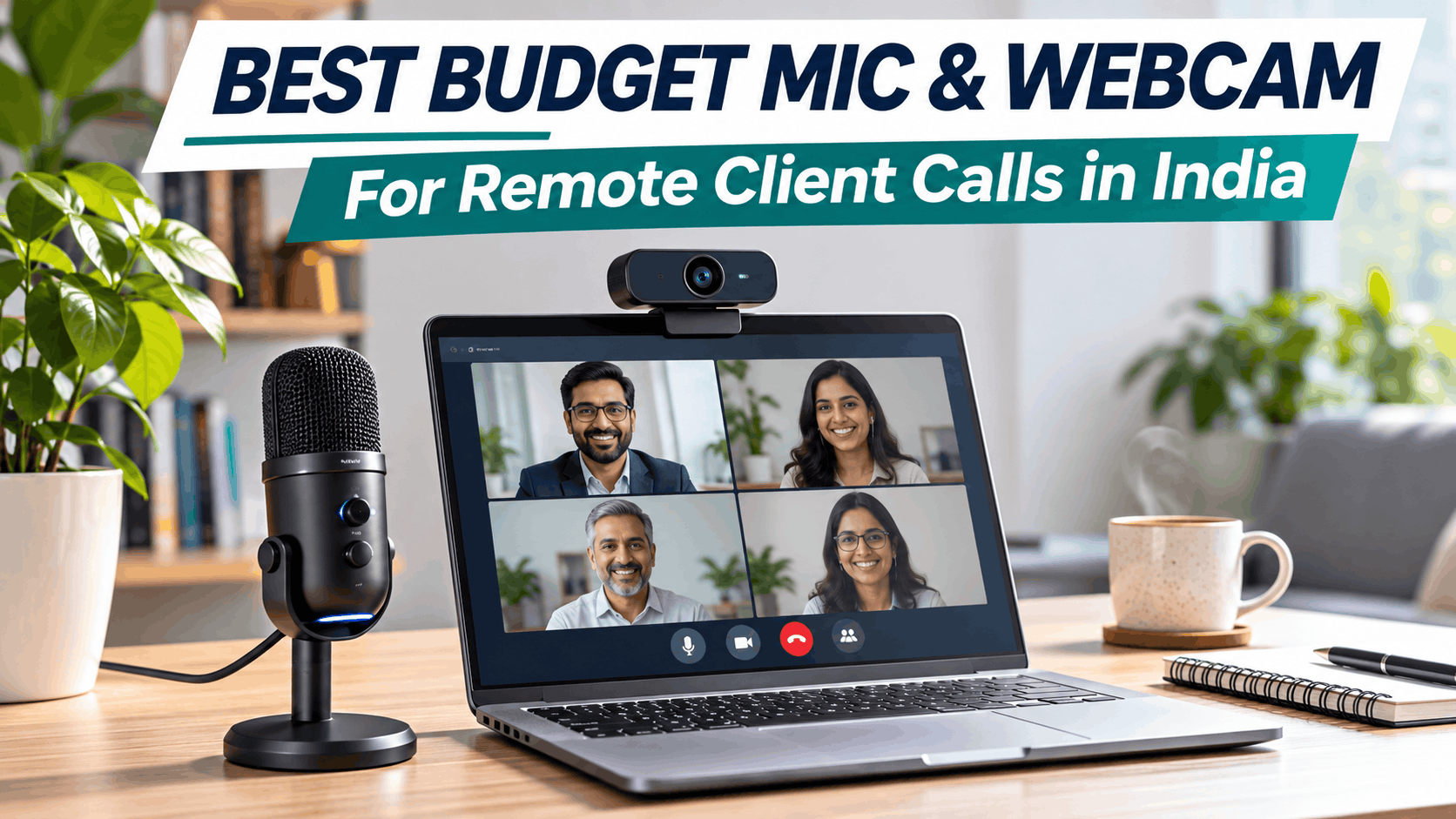
Best Budget Microphones and Webcams for Remote Client Calls in India

Best Budget Microphones and Webcams for Remote Client Calls in India
Remote work, online consulting, virtual interviews, client presentations, and business meetings have become an important part of modern professional life. Whether you’re a freelancer, software developer, consultant, business owner, architect, or corporate employee, your audio and video quality can influence how professionally you communicate online.
While most laptops come with an inbuilt webcam and microphone, they often struggle with poor lighting, background noise, distant voice pickup, and grainy video. The good news is that upgrading your setup doesn’t require spending ₹20,000 or more.
With a few affordable accessories, you can build a professional remote meeting setup in India for approximately ₹3,000 to ₹8,000.
In this guide, we explore some of the best budget microphones and webcams for remote client calls, along with buying tips and practical recommendations for different budgets.
Why You Should Upgrade Your Webcam and Microphone
During online meetings, people may not notice whether you’re using an expensive laptop or a premium workstation. However, they will immediately notice when:
- Your voice sounds distant, unclear, or distorted.
- Background noise from fans, traffic, or family members interferes with the conversation.
- Your webcam image looks dark, grainy, or blurry.
- Your camera angle makes you appear poorly positioned.
- You constantly adjust your microphone or camera during meetings.
A clear voice and a well-framed video image help create a more professional and engaging communication experience.
If you regularly conduct client meetings, interviews, presentations, or online workshops, a dedicated webcam and microphone are practical investments.
Best Budget Microphones for Remote Client Calls in India
A dedicated USB microphone can significantly improve voice clarity compared with many built-in laptop microphones. USB microphones are particularly useful because they generally offer plug-and-play connectivity without requiring an audio mixer or external sound card.
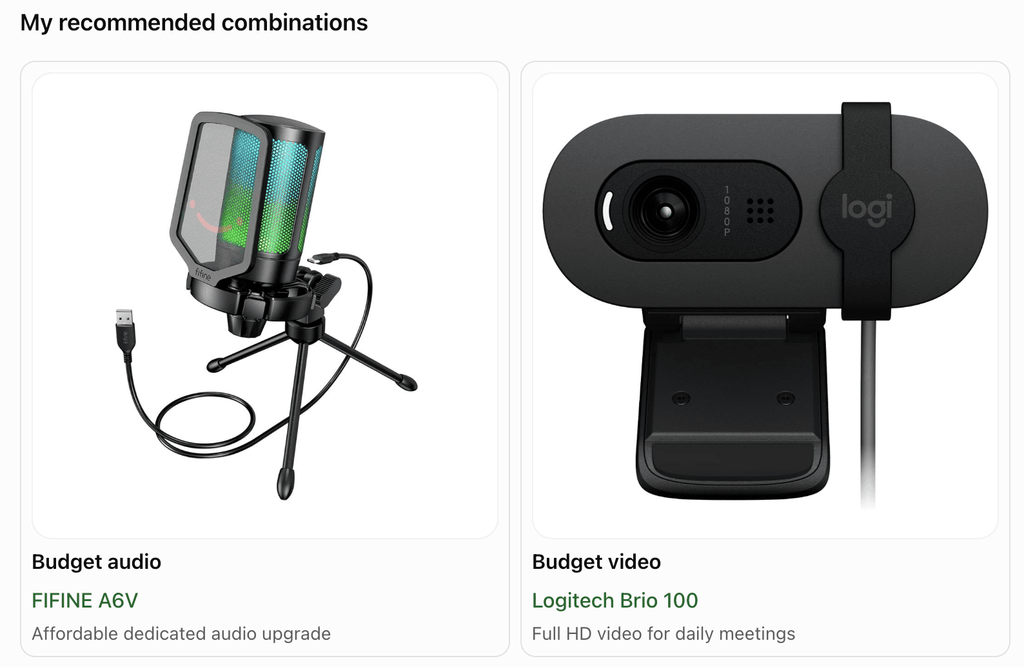
1. FIFINE AmpliGame A6V – Best Entry-Level USB Microphone
The FIFINE A6V is a good starting point for people looking to improve their voice quality without spending much money.
It is suitable for remote meetings, online interviews, gaming, voice recording, and virtual presentations.
Why consider it?
- USB plug-and-play connectivity
- Compact desktop design
- Convenient mute controls on compatible configurations
- Suitable for everyday voice communication
- Budget-friendly option for beginners
Best for: Freelancers, students, remote employees, and professionals attending regular online meetings.
Approximate budget: ₹2,500–₹3,500
2. MAONO PD200X – Best Budget Microphone for Professional Calls
The MAONO PD200X is a more versatile option for professionals who want a microphone that can be used for both meetings and content creation.
Its dynamic microphone design can be beneficial when working in an ordinary home environment where there may be some background noise.
Key advantages:
- USB and XLR connectivity
- Dynamic microphone design
- Suitable for meetings, podcasts, and voice recording
- Useful upgrade path for future audio equipment
- Better suited to users who want a dedicated microphone setup
Best for: Consultants, remote professionals, creators, and people who conduct frequent client meetings.
Approximate budget: ₹3,500–₹5,000
3. FIFINE K669B – Best Simple USB Microphone
The FIFINE K669B is a popular entry-level microphone option for people who want a straightforward desktop microphone.
Its simple USB setup makes it convenient for regular calls without requiring complicated audio configuration.
Key advantages:
- Easy USB connectivity
- Compact desktop setup
- Suitable for voice communication
- Good entry-level option for online meetings
- Useful for meetings, classes, and recordings
Best for: Budget-conscious users who want to move beyond the laptop microphone.
Approximate budget: ₹2,000–₹3,000
4. TONOR TC-777 – Best Complete Budget Microphone Setup
The TONOR TC-777 is worth considering if you prefer a microphone that comes with basic accessories for immediate use.
Depending on the package, it includes a desktop tripod, pop filter, and USB connectivity, making it a convenient option for beginners.
Why it is useful:
- Desktop microphone with stand
- USB connection
- Pop-filter support
- Simple setup
- Suitable for video calls and online presentations
Best for: Beginners setting up a home office on a tight budget.
Approximate budget: ₹1,500–₹2,500
Best Budget Webcams for Remote Client Calls in India
An external webcam can provide better positioning, framing, and video quality than a built-in laptop camera. For most professional meetings, 1080p Full HD is more than sufficient.
You don’t necessarily need a 4K webcam. Lighting, camera placement, autofocus, and image quality are often more important than resolution alone.
1. Logitech Brio 100 – Best Overall Budget Webcam
The Logitech Brio 100 is a practical webcam for people who regularly attend online meetings.
It offers Full HD video and is designed for straightforward everyday use.
Key features:
- 1080p Full HD video
- USB connectivity
- Light correction
- Built-in microphone
- Convenient mounting design
Best for: Remote employees, consultants, job interviews, and daily client calls.
Approximate budget: ₹2,500–₹4,500
2. Lenovo 300 FHD Webcam – Best for Wider Framing
The Lenovo 300 FHD webcam is a good option for users who want a Full HD camera with a relatively wide field of view.
A wider view can be useful if you need to show more of your workspace or occasionally have more than one person in the frame.
Key advantages:
- Full HD video
- Wider field of view on compatible configurations
- Convenient external camera positioning
- Suitable for online meetings and presentations
Best for: Home-office users and professionals who prefer a wider camera view.
Approximate budget: ₹1,800–₹3,000
3. HP 320 FHD Webcam – Best Affordable Full HD Option
The HP 320 FHD webcam is a practical choice for users who want an affordable 1080p webcam from a well-known computer hardware brand.
It is suitable for regular online meetings, virtual interviews, and video collaboration.
Key advantages:
- Full HD video
- Plug-and-play connectivity
- Compact design
- Suitable for work and online learning
Best for: Professionals who want a basic Full HD webcam without spending too much.
Approximate budget: ₹1,800–₹3,000
4. EMEET SmartCam C950 – Best Feature-Rich Budget Webcam
The EMEET C950 is another option for people looking for a webcam with useful meeting-oriented features at a relatively affordable price.
Depending on the version and listing, it may offer features such as a privacy cover, wide-angle framing, and noise-reduction microphone capabilities.
Key advantages:
- Full HD video
- Privacy-cover features on supported models
- Wide-angle framing
- Convenient USB connectivity
Best for: Professionals who want a feature-rich webcam for daily meetings.
Approximate budget: ₹1,800–₹2,500
Quick Comparison: Budget Microphones
| Microphone | Approx. Price | Best For |
|---|---|---|
| FIFINE A6V | ₹2,500–₹3,500 | Entry-level meetings |
| MAONO PD200X | ₹3,500–₹5,000 | Client calls and content creation |
| FIFINE K669B | ₹2,000–₹3,000 | Basic USB voice setup |
| TONOR TC-777 | ₹1,500–₹2,500 | Beginners and budget users |
Quick Comparison: Budget Webcams
| Webcam | Video | Approx. Price | Best For |
|---|---|---|---|
| Logitech Brio 100 | 1080p | ₹2,500–₹4,500 | Daily client calls |
| Lenovo 300 FHD | 1080p | ₹1,800–₹3,000 | Wider framing |
| HP 320 FHD | 1080p | ₹1,800–₹3,000 | Affordable Full HD |
| EMEET C950 | 1080p | ₹1,800–₹2,500 | Features and privacy |
Prices are indicative and can change based on Amazon, Flipkart, retailer discounts, sales, and availability.
Best Remote Meeting Setup Based on Your Budget
You don’t need to buy everything at once. Choose your equipment based on how frequently you attend meetings and the type of work you perform.
Setup 1: Basic Remote Work Setup – Under ₹3,000
Recommended for:
- Students
- Occasional client meetings
- Job interviews
- Entry-level remote workers
Suggested setup:
- Budget USB microphone
- Existing laptop webcam
- Natural lighting from a window
- Wired earphones for monitoring audio
This is the cheapest way to improve your meeting experience.
Setup 2: Professional Client Call Setup – ₹5,000 to ₹8,000
Recommended for:
- Freelancers
- Consultants
- Software developers
- Solution architects
- Remote employees
- Business professionals
Suggested setup:
- Budget USB microphone such as FIFINE or MAONO
- 1080p external webcam
- Wired headphones or earphones
- Desk lamp or inexpensive LED light
- Stable internet connection
This setup offers the best balance between price and professional quality for most people.
Setup 3: Premium Home Office Setup – ₹10,000 to ₹15,000
Recommended for:
- Consultants conducting multiple meetings every day
- Trainers and coaches
- Content creators
- Business owners
- Senior professionals presenting to clients
Suggested setup:
- Higher-quality USB microphone
- Premium 1080p webcam
- Dedicated key light
- Adjustable microphone stand
- Headphones
- Professional desk background
At this level, focus on convenience, audio quality, and lighting rather than buying the most expensive camera.
Microphone vs Webcam: Which Should You Buy First?
If your budget is limited, buy a microphone first.
Audio quality is one of the most important aspects of online communication. A person can tolerate slightly imperfect video, but unclear audio can make a meeting frustrating.
A dedicated microphone helps:
- Improve voice clarity
- Reduce the perception of distance
- Make presentations more engaging
- Reduce the need for participants to ask you to repeat yourself
If your laptop camera is particularly poor, however, an external webcam may be your first upgrade.
My recommendation: Prioritize audio, then video, then lighting.
What to Look for Before Buying a Microphone
USB connectivity
Choose a USB microphone if you want easy setup. It is generally the best option for remote client meetings because it doesn’t require additional equipment.
Dynamic vs condenser microphones
Dynamic microphones are often more suitable for untreated rooms and environments with moderate background noise because they generally capture less surrounding ambience when used close to the speaker.
Condenser microphones can provide detailed sound but may capture more room noise, including fans, traffic, keyboard sounds, and echoes.
Mute button
A physical mute button is extremely useful during client calls. It allows you to quickly mute yourself when there is background noise or an interruption.
Microphone placement
Keep your microphone close to your mouth, ideally around 10–20 cm away, depending on the microphone design.
Avoid placing the microphone directly in front of your keyboard or laptop fan.
What to Look for Before Buying a Webcam
1080p Full HD resolution
Full HD is generally sufficient for Zoom, Microsoft Teams, Google Meet, and most professional video conferencing platforms.
Autofocus
Autofocus is useful if you move around during presentations or occasionally show documents and objects to the camera.
Low-light performance
If you frequently attend meetings in the evening, look for a webcam with good exposure correction or low-light processing.
Privacy shutter
A physical privacy shutter provides an easy way to block the camera when it is not in use.
Field of view
A camera with a very wide field of view may show too much of your room.
For solo client meetings, a moderate field of view is usually preferable because it keeps the focus on you instead of your surroundings.
Five Tips to Look More Professional on Client Calls
Buying good equipment is only part of the solution. Your meeting environment also matters.
1. Position your camera at eye level
Avoid placing the laptop camera too low. A camera at eye level creates a more natural conversation angle.
Use a laptop stand or a stack of books if necessary.
2. Face a light source
Position yourself facing a window or a soft light source.
Avoid sitting directly in front of a bright window, as it can make your face appear dark.
3. Keep your microphone close
The closer your microphone is to your mouth, the less it needs to capture the surrounding room.
4. Use a clean background
A simple, uncluttered background creates a professional appearance.
You don’t need an expensive office. A clean wall, bookshelf, or well-organized workspace is sufficient.
5. Test your audio and video before important meetings
Check your microphone and webcam settings before joining an important client call.
Confirm that the meeting application is using the correct microphone and camera instead of automatically selecting your laptop’s built-in devices.
Recommended Equipment for Different Professionals
| Professional | Recommended Setup |
|---|---|
| Software Developer | USB microphone + 1080p webcam |
| Solution Architect | Dedicated microphone + Full HD webcam + headphones |
| Freelancer | Budget USB microphone + entry-level Full HD webcam |
| Online Trainer | USB microphone + webcam + LED light |
| Business Consultant | Good microphone + 1080p webcam + professional background |
| Job Seeker | Webcam + wired earphones + good lighting |
| Content Creator | USB/XLR microphone + higher-quality webcam + lighting |
Final Verdict
For most professionals in India who attend remote client calls regularly, investing approximately ₹5,000–₹8,000 in a dedicated microphone and webcam can be a worthwhile upgrade.
You don’t need a studio microphone, a DSLR camera, or an expensive lighting setup to communicate professionally online.
Start with a good USB microphone, add a Full HD webcam, and improve your lighting and camera positioning. These small improvements can make your virtual meetings clearer, more comfortable, and more professional.
If you are building your home office on a budget, remember one simple rule:
Clear audio, good lighting, and eye-level video matter more than expensive equipment.
Choose the equipment that solves your actual problem instead of buying specifications you may never use.
Disclaimer: Product prices and availability are indicative and may vary across Indian retailers. Product recommendations are based on specifications, category suitability, and available market information; they are not a claim of hands-on testing.