Notion vs Trello vs ClickUp for a Solo Freelancer: Setup Comparison

Choosing the right productivity tool as a solo freelancer can make a surprisingly big difference to how you manage clients, projects, deadlines, invoices, content, and daily work. When you are working alone, you don’t have a project manager, account manager, or operations team to keep everything organized. Your workspace needs to do that job for you.
Three of the most popular productivity tools for freelancers are Notion, Trello, and ClickUp. All three can help organize projects and tasks, but they approach productivity differently.
- Notion focuses on flexible workspaces, documentation, databases, and knowledge management.
- Trello focuses on visual task management using boards, lists, and cards.
- ClickUp focuses on comprehensive project management, combining tasks, documents, timelines, goals, and automation.
So, which one is the best choice for a solo freelancer?
This guide compares Notion, Trello, and ClickUp from a freelancer’s perspective, including setup complexity, client management, project tracking, pricing considerations, productivity, and practical workflows.
1. Why freelancers need a productivity system
Freelancers often work across multiple responsibilities simultaneously:
- Client communication and follow-ups
- Project delivery and deadlines
- Proposal preparation
- Invoices and payment tracking
- Marketing and lead generation
- Content creation
- Research and learning
- Personal administration
Without a centralized system, work becomes scattered across emails, WhatsApp messages, spreadsheets, calendars, notes, and task applications.
A productivity tool should help you answer five important questions quickly:
- What projects am I currently working on?
- What needs to be completed today?
- Which client is waiting for me?
- What work is overdue or at risk?
- What should I focus on next to generate revenue?
The objective isn’t to build the most complicated workspace. It is to build a system that reduces friction and allows you to spend more time delivering valuable work to clients.
2. Notion vs Trello vs ClickUp: At a glance
Trello Vs ClickUp Vs Notion: ¿Cuál Elegir Para Organizar Proyectos Personales?
| Feature | Notion | Trello | ClickUp |
|---|---|---|---|
| Primary purpose | Knowledge and workspace management | Visual task management | Comprehensive project management |
| Interface | Pages and databases | Boards and cards | Tasks, views, folders, spaces |
| Learning curve | Medium | Low | Medium to high |
| Project tracking | Flexible databases | Kanban boards | Advanced project management |
| Documentation | Excellent | Basic | Good |
| Task management | Good | Excellent for simple workflows | Excellent |
| Client management | Customizable CRM | Simple board-based CRM | CRM-style workflows |
| Time tracking | Limited/native options vary | Limited | More comprehensive options |
| Automation | Database and integration-based | Butler automation | Workflow automation |
| Customization | Very high | Moderate | Very high |
| Best for | Freelancers who need knowledge and project organization | Freelancers who want simplicity | Freelancers managing complex work |
| Setup effort | Medium | Low | Medium to high |
Each platform can work well, but the best option depends on how much structure you need and how much time you’re willing to spend maintaining your workspace.
3. Notion: Best for freelancers who need an all-in-one workspace
Freelancer OS – Client & Projects Hub Template | Notion Marketplace
The Ultimate Bundle for Freelancers Template | Notion Marketplace
Freelance Creative Bundle — Notion Template + n8n Automation
8Notion
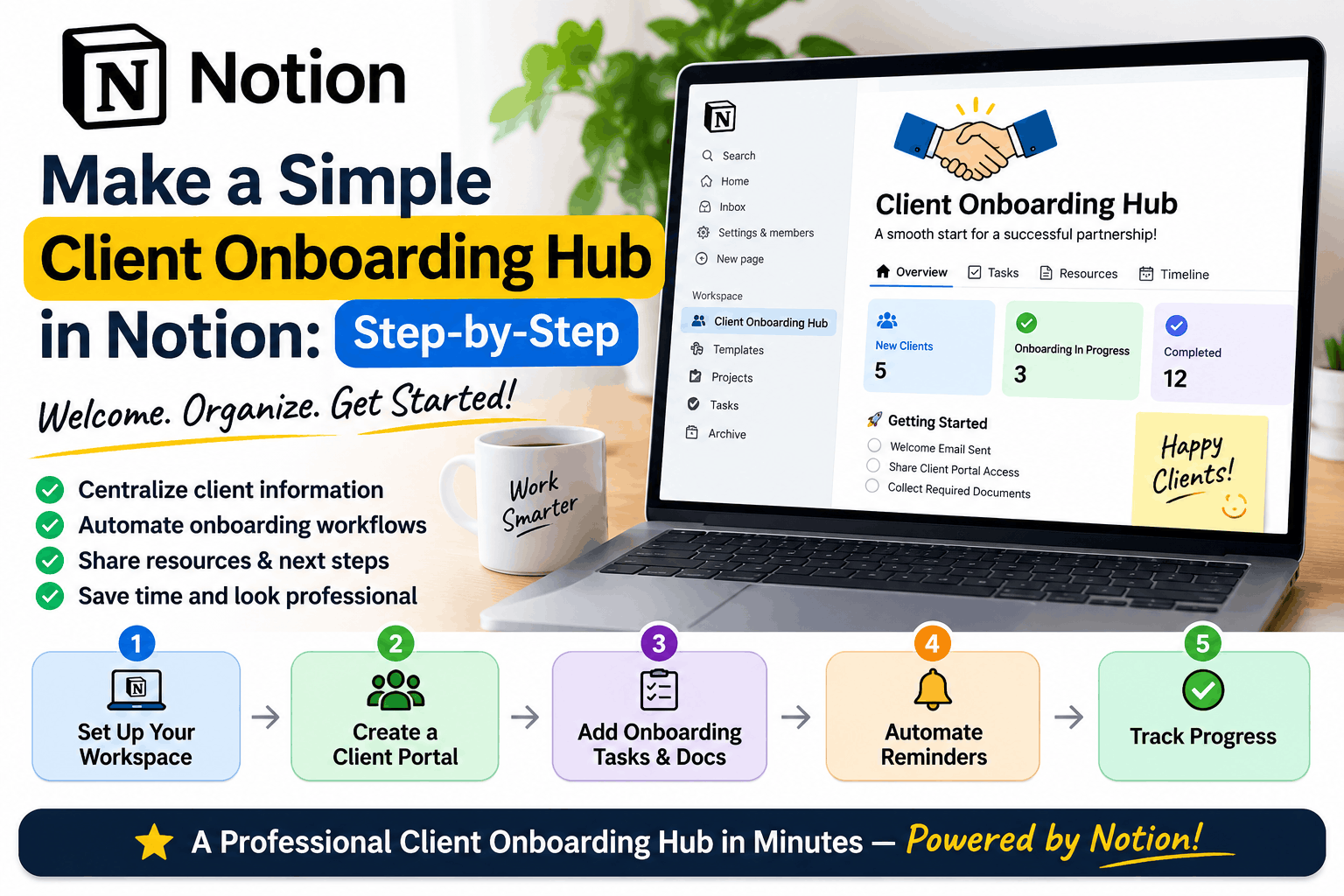
Notion is more than a note-taking application. It allows freelancers to build a personalized workspace containing client databases, project trackers, task lists, meeting notes, business documentation, content calendars, and reusable templates.
The biggest advantage of Notion is flexibility. You can start with a simple page and gradually turn it into a complete freelance operating system.
How to set up Notion for a solo freelancer
Start with a simple workspace structure:
Freelancer HQ
Your central workspace
Clients
Projects
Tasks
Content & Calendar
Finance & Payments
Knowledge Base
Recommended Notion databases
| Database | Purpose | Important properties |
|---|---|---|
| Clients | Central client information | Name, contact, status, industry |
| Projects | Manage client engagements | Client, deadline, budget, status |
| Tasks | Track daily execution | Priority, due date, project, status |
| Leads | Manage prospects | Source, follow-up, estimated value |
| Invoices | Track payments | Invoice amount, due date, payment status |
| Content | Manage blogs and marketing | Topic, keyword, publish date, status |
You can connect databases using relations so that a project is associated with a client and its tasks. This eliminates unnecessary duplication and helps you see your work from different perspectives.
Example Notion workflow
A new client approaches you for an AI automation project.
- Add the prospect to your Leads database.
- Record the initial discovery meeting.
- Create a client record when the deal is confirmed.
- Create a project with scope, budget, milestones, and deadline.
- Add tasks to the project database.
- Create a client documentation page.
- Track delivery progress through a project board.
- Record the invoice and payment status.
Everything can remain connected within one workspace.
Notion advantages
- Excellent documentation and knowledge management.
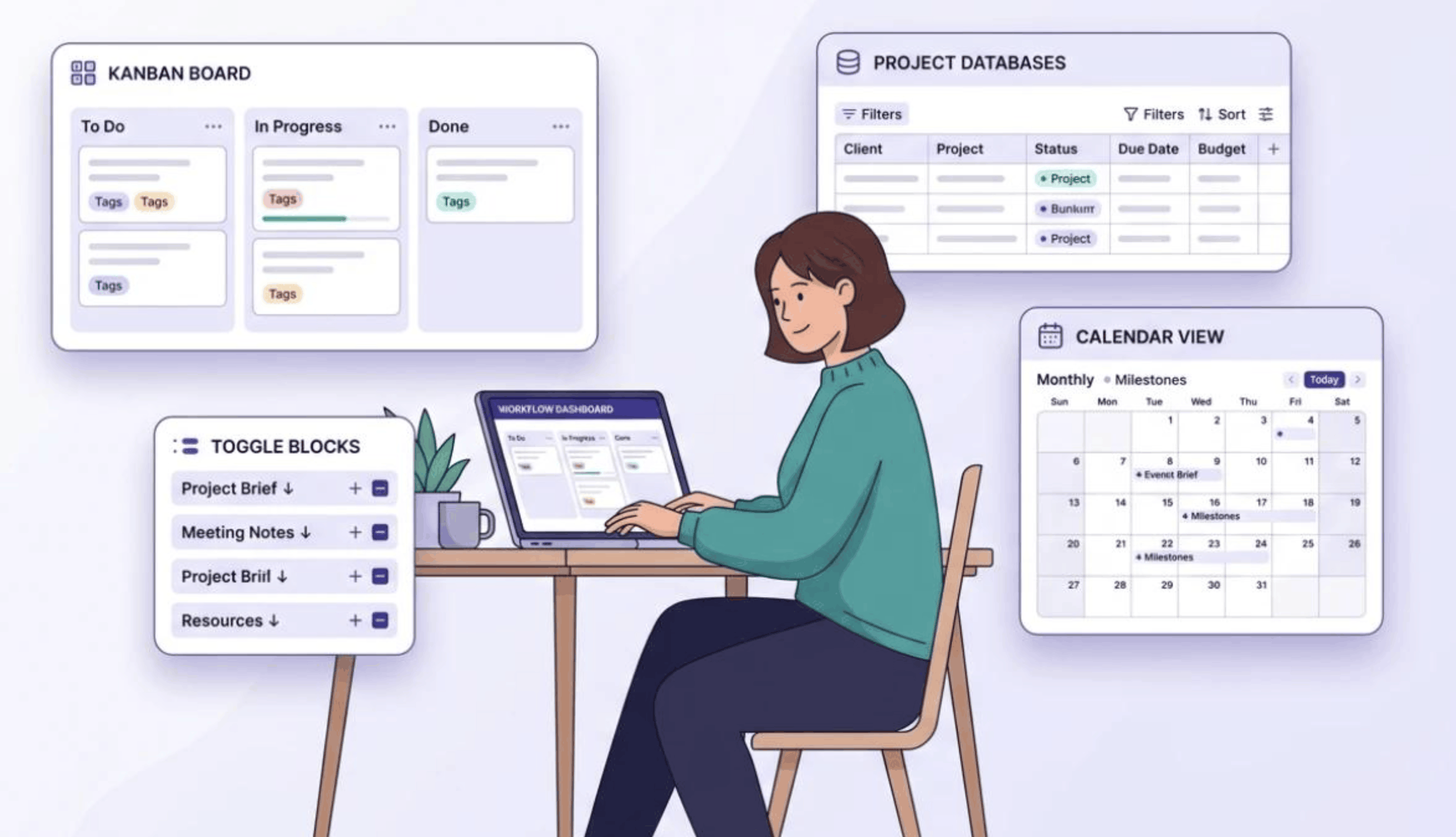
- Flexible databases with multiple views.
- Can combine business operations and project tracking.
- Easy to build client portals and reusable templates.
- Useful for writing proposals, specifications, and project notes.
- Suitable for freelancers offering consulting, content, software, or AI services.
Notion disadvantages
- It is easy to over-customize.
- Database configuration can take time.
- Task management is not as specialized as dedicated project tools.
- Advanced workflow automation may require integrations.
- You may spend more time designing your workspace than actually completing client work.
Best suited for: Freelance consultants, writers, software developers, AI consultants, researchers, and freelancers who manage a lot of documentation and client knowledge.
4. Trello: Best for freelancers who want simplicity
Trello pour la gestion de projet | TrelloTrello
Trello takes a different approach. Instead of building a complex workspace, you create boards, lists, and cards.
It is based on the Kanban methodology, where work moves through different stages of completion. This makes it particularly useful for freelancers who want to see exactly what is happening with every task.
How to set up Trello for a solo freelancer
Create one main board called:
Freelancer Work Management
Use these lists:
Freelancer Kanban Board
BacklogIdeas & upcoming tasks
To DoReady to work
In ProgressCurrently working
ReviewTesting & client feedback
CompletedDelivered and finished
Each card represents a task or deliverable.
For example:
Card: Develop AI Customer Support Chatbot
- Client: ABC Retail
- Due date: November 25
- Priority: High
- Estimated effort: 8 hours
Checklist:
- Gather business requirements
- Define architecture
- Build chatbot prototype
- Integrate knowledge base
- Test responses
- Deploy to staging
- Client review
- Production deployment
You can move the card from To Do to In Progress, then Review, and finally Completed as the project progresses.
Trello advantages
- Extremely easy to understand.
- Minimal setup time.
- Highly visual workflow.
- Excellent for managing recurring tasks.
- Easy to maintain when working alone.
- Useful for freelancers who don’t need complex reporting.
Trello disadvantages
- Documentation and knowledge management are limited.
- Complex project reporting is less convenient.
- Multiple boards can create fragmentation.
- Large projects may require additional structure or Power-Ups.
- It can become difficult to manage client information, financials, and project documentation in one place.
Best suited for: Freelancers who handle straightforward projects, recurring deliverables, website development, design work, social media management, or a small number of clients.
5. ClickUp: Best for freelancers managing complex projects
10 Best Project Collaboration Tools – Hongkiat
Project Management Software with Calendars | ClickUp™
Creative Agency Project Management Software
6ClickUp
ClickUp is designed around work execution. It brings tasks, project organization, documentation, multiple views, reporting, and automation into one platform.
For freelancers managing multiple clients, deliverables, deadlines, dependencies, and billable hours, ClickUp can provide a more structured operating environment.
Unlike Trello’s relatively simple boards or Notion’s flexible databases, ClickUp gives you a more defined project hierarchy.
Recommended ClickUp structure for freelancers
Freelancer Workspace
Workspace: Freelance Business
Space 1 — Client ProjectsFolders for clients or service categories
Client AWebsite Redesign · AI Integration · Support
Client BConsulting · Architecture Review
Space 2 — Business OperationsSales pipeline · Marketing · Finance · Admin
Space 3 — Product & LearningProduct ideas · Experiments · Research
Recommended ClickUp views
| View | How you use it |
|---|---|
| List | Organize detailed tasks |
| Board | Visual task status management |
| Calendar | Track deadlines and scheduled work |
| Gantt | Plan complex projects and dependencies |
| Dashboard | Review overall business and project performance |
| Workload | Understand workload distribution if working with collaborators |
You may not need every view as a solo freelancer. The real advantage is being able to use different views as your workload becomes more complex.
ClickUp advantages
- Strong project and task management.
- Multiple project views.
- Task dependencies and milestones.
- Native time tracking on supported plans.
- Automations for repetitive workflows.
- Dashboards and reporting.
- Documentation alongside tasks.
- Scales more easily when freelancers hire subcontractors or build a small team.
ClickUp disadvantages
- More complicated than Trello.
- Initial workspace setup can take longer.
- Too many features can become distracting.
- Notifications and configuration can feel overwhelming.
- It is easy to build unnecessary workflows that don’t contribute to actual delivery.
Best suited for: Technical consultants, software developers, solution architects, AI implementation specialists, agencies, and freelancers handling larger projects with multiple milestones and deadlines.
6. Setup comparison: How long does it take to get started?
A common freelancer mistake is spending an entire weekend building a productivity system before using it for real work.
The objective should be to get operational quickly.
| Setup activity | Notion | Trello | ClickUp |
|---|---|---|---|
| Basic workspace | 30–60 min | 10–15 min | 20–40 min |
| Client tracking | 30–60 min | 15–30 min | 30–45 min |
| Project tracking | 30–60 min | 15–30 min | 30–60 min |
| Business dashboard | 30–90 min | 15–30 min | 30–60 min |
| Automation | 30–120 min | 15–45 min | 30–90 min |
| Total initial setup | 2–5 hours | 1–2 hours | 2–4 hours |
Estimated setup times for a simple freelancer workflow, not official product benchmarks. Your setup will vary with customization and integrations.
If you want to start working immediately, Trello is the quickest. If you want to build a long-term knowledge and business workspace, Notion is a strong option. If you want more detailed project control, ClickUp offers the most structured capabilities.
7. Practical freelancer workflow comparison
Let’s assume you’re an independent freelancer managing three clients simultaneously.
- Client A: AI automation implementation
- Client B: Website development
- Client C: Architecture consulting
You also need to publish content, generate new leads, and track invoices.
How each platform handles your day
Morning planning
Notion
Review your dashboard, project database, priorities, and calendar.
Trello
Review cards in To Do and move the highest-priority tasks into In Progress.
ClickUp
Review assigned tasks, overdue work, due dates, project progress, and workload.
During client delivery
Notion
Use project pages, documentation, task databases, and client meeting notes.
Trello
Update cards, checklists, attachments, due dates, and task status.
ClickUp
Update tasks, subtasks, dependencies, estimates, time entries, and milestones.
End-of-day review
Notion
Record notes, update project statuses, and plan tomorrow’s priorities.
Trello
Move completed cards and prepare the next day’s task list.
ClickUp
Update task progress, track time, review overdue items, and inspect deadlines.
8. Which tool is best for different freelance professions?
The ideal productivity tool depends on your service model. A freelance writer may need a content calendar and editorial database, while an AI consultant needs deliverables, dependencies, documentation, and implementation milestones.
Top AI Tools for Blog Scheduling and Content Planning
Content writer / SEO freelancer
NotionContent planning, research, editorial calendars, writing briefs, and SEO tracking.
Adobe Firefly Boards Alternative for Filmmakers (2026) | M Studio
Graphic designer
TrelloDesign requests, review stages, revisions, approvals, and delivery tracking.
Software developer
ClickUpFeature development, bugs, milestones, releases, dependencies, and sprint planning.
Services – Axiomith: Strategic Technology Consulting
Business / AI consultant
Notion or ClickUpNotion for knowledge-heavy consulting; ClickUp for structured delivery and deadlines.
Tool selection by freelance service
| Freelance service | Recommended tool | Why |
|---|---|---|
| Content writing | Notion | Writing, research, editorial organization |
| SEO consulting | Notion | Keyword research, briefs, strategy, content tracking |
| Graphic design | Trello | Simple visual workflow and approvals |
| Website development | ClickUp | Tasks, milestones, bugs, releases |
| AI consulting | ClickUp | Implementation tasks, dependencies, delivery |
| Solution architecture | Notion or ClickUp | Documentation or project execution |
| Virtual assistance | Trello | Simple recurring workflows |
| Marketing management | Notion | Campaign planning and content databases |
| Agency-style freelancing | ClickUp | Multiple clients and structured delivery |
9. Sample freelancer setup: Build your workspace in 30 minutes
Regardless of which platform you select, avoid building a complicated system initially. Start with a minimum viable freelancer workspace.
Step 1: Create your client list
Track only the information you need:
- Client name
- Contact person
- Service type
- Current project
- Contract value
- Payment status
- Relationship status
Step 2: Create your project tracker
Every project should have:
- Project name
- Client
- Start date
- Delivery date
- Scope
- Estimated hours
- Budget
- Status
- Next action
Step 3: Create your task management workflow
Use a consistent status structure:
Backlog
Ready
Doing
Review
Done
Step 4: Add a daily priority list
Limit your daily list to:
- 1 major revenue-generating task
- 2 important project tasks
- 1 client communication task
- 1 business development task
This keeps your attention on the work that moves projects forward and generates revenue rather than on managing your productivity application.
Step 5: Create a weekly review
Every Friday, review:
- Completed projects
- Pending client feedback
- Overdue tasks
- Outstanding invoices
- New leads
- Upcoming deadlines
- Next week’s priorities
This review is more valuable than adding dozens of productivity features.
10. Automation: Which tool gives freelancers the best options?
Automation can save time when your freelance business begins to grow.
Typical workflows include:
- Automatically creating tasks when a project starts.
- Reminders before deadlines.
- Moving tasks when a status changes.
- Creating recurring tasks for weekly reviews.
- Notifying you when a task is overdue.
- Automatically creating content tasks from new ideas.
- Connecting forms to client or lead databases.
Automation capabilities
| Workflow | Notion | Trello | ClickUp |
|---|---|---|---|
| Database-based task automation | Available on supported features/plans | Not its core model | Available |
| Status-triggered workflows | Limited / integrations | Butler rules | Native automations |
| Recurring tasks | Supported through workflows | Supported through automation | Supported |
| Task notifications | Supported | Supported | Supported |
| External integrations | Strong ecosystem | Strong ecosystem | Strong ecosystem |
| Advanced workflows | Often needs external tools | Can need Power-Ups | More built-in capability |
Notion is especially useful for information-driven workflows, Trello is useful for straightforward board automation, and ClickUp is better suited to more complex task-based processes.
Always check automation limits and plan restrictions before designing a workflow around a feature.
11. Cost comparison: Should a freelancer pay for a productivity tool?
When you’re working independently, subscription costs should be justified by the time saved, improved delivery, or additional revenue generated.
All three tools offer free entry points, although their features, storage, collaboration limits, and automation allowances differ.
| Tool | Start with free? | When upgrading makes sense |
|---|---|---|
| Notion | Yes | When collaboration, advanced features, or paid capabilities become necessary |
| Trello | Yes | When advanced views, automation, or larger collaboration needs arise |
| ClickUp | Yes | When advanced project views, storage, automation, or reporting justify the plan |
For a solo freelancer, the free plan may be enough for a long time.
A useful rule is:
Don’t pay for productivity features until you have a real workflow that needs them.
If a paid feature saves you five hours a month and your effective hourly rate is $50, that feature could create $250 of potential time value. But if you spend five hours configuring the feature every month, the subscription may be pointless.
12. Common mistakes freelancers make when setting up productivity tools
Mistake 1: Using all three tools simultaneously
Some freelancers maintain their client tracker in Notion, their task tracker in Trello, and their project timelines in ClickUp.
This can quickly create duplicate work.
Unless you have a clear reason, choose one primary platform.
Mistake 2: Creating too many dashboards
A dashboard that displays 20 widgets can look impressive but may not help you make decisions.
Build dashboards that answer:
- What is due today?
- What is overdue?
- What projects are active?
- What payments are pending?
- What should I do next?
Mistake 3: Tracking everything instead of taking action
Tracking time, task status, project health, daily goals, weekly goals, monthly goals, and quarterly goals can become a full-time administrative job.
Track only what supports your business decisions.
Mistake 4: Treating tasks as projects
“Build website” is not a useful task.
Break it down into actionable items:
- Define requirements
- Create wireframes
- Develop frontend
- Integrate APIs
- Test functionality
- Deploy application
Small tasks make progress measurable and reduce procrastination.
Mistake 5: Ignoring client communication
Your productivity system should include client follow-ups, feedback deadlines, approvals, and outstanding payments.
A project that is technically complete but waiting three weeks for client approval is still affecting your business.
13. Final verdict: Notion vs Trello vs ClickUp
Productivity System Dashboards in Notion (2023)
Notion
Best for knowledge
Flexible workspaceDocumentation, client knowledge, business planning and simple task management.
How to Manage Remote Teams | Remote Team Management
Trello
Best for simplicity
Visual workflowQuick task tracking, recurring workflows and easy project visibility.
ClickUp | Esse é um exemplo de Dashboard do ClickUp. | Gerenciador de tarefas
ClickUp
Best for project control
Structured deliveryComplex projects, timelines, dependencies, time tracking and automation.
My recommendation
If you’re a solo freelancer starting today, I would recommend the following approach:
Choose Notion if your business is based on consulting, writing, research, strategy, or knowledge-driven services. It gives you a place to manage clients, document knowledge, build reusable templates, and organize projects without needing multiple tools.
Choose Trello if you want the simplest system possible. If your priority is finishing tasks instead of configuring software, Trello’s visual workflow is difficult to beat.
Choose ClickUp if you’re handling complex technical implementations, multiple client engagements, long project timelines, milestones, dependencies, time tracking, or you expect to grow into a small delivery team.
These differences align with the platforms’ core approaches: Notion is documentation- and workspace-oriented, Trello is Kanban-oriented, and ClickUp is task- and project-management-oriented. ClickUp Help+2
For many freelancers, the best productivity system is not the one with the most features. It is the one you consistently open every morning, use throughout the day, and update before you finish work.
Start small. Organize your clients. Track your projects. Build a daily routine. Expand the system only when your business actually needs it.
Your productivity system should support your freelance business—not become another freelance project.
Frequently asked questions (FAQs)
1. Is Notion better than Trello for freelancers?
Notion is better for freelancers who need documentation, client databases, meeting notes, content planning, and project management in one workspace. Trello is better for freelancers who primarily need simple visual task tracking.
2. Is ClickUp too complicated for a solo freelancer?
Not necessarily. ClickUp can be highly effective for a solo freelancer managing complex projects. However, you should disable or ignore features you don’t need and start with a basic task list and board.
3. Can I manage all my freelance clients in Notion?
Yes. You can build client, lead, project, task, meeting, and invoice databases and connect them using relations. Notion can work as a lightweight freelance CRM and project management system.
4. Is Trello enough for managing multiple clients?
Yes, particularly when projects have straightforward workflows. You can use separate boards for clients or one centralized board with labels, cards, checklists, and deadlines. As your business becomes more complex, you may need additional reporting and documentation tools.
5. Which tool is best for AI freelancers?
ClickUp is a strong choice for AI freelancers managing implementation tasks, technical milestones, integrations, dependencies, and client delivery. Notion is also excellent for AI consulting when the work involves research, strategy, architecture documentation, and knowledge management.
6. Can I use Notion and ClickUp together?
Yes. You can use Notion for documentation, knowledge management, client notes, and strategy, while using ClickUp for task execution and project delivery. However, using both is only worthwhile when their responsibilities are clearly separated. Otherwise, duplicated information creates unnecessary overhead.
7. Which tool is the best free option?
All three have free offerings, but the most suitable choice depends on how you work. Trello is great for simple boards, Notion is useful for a flexible individual workspace, and ClickUp provides more structured task management. Verify current limits before choosing based on a particular free feature.