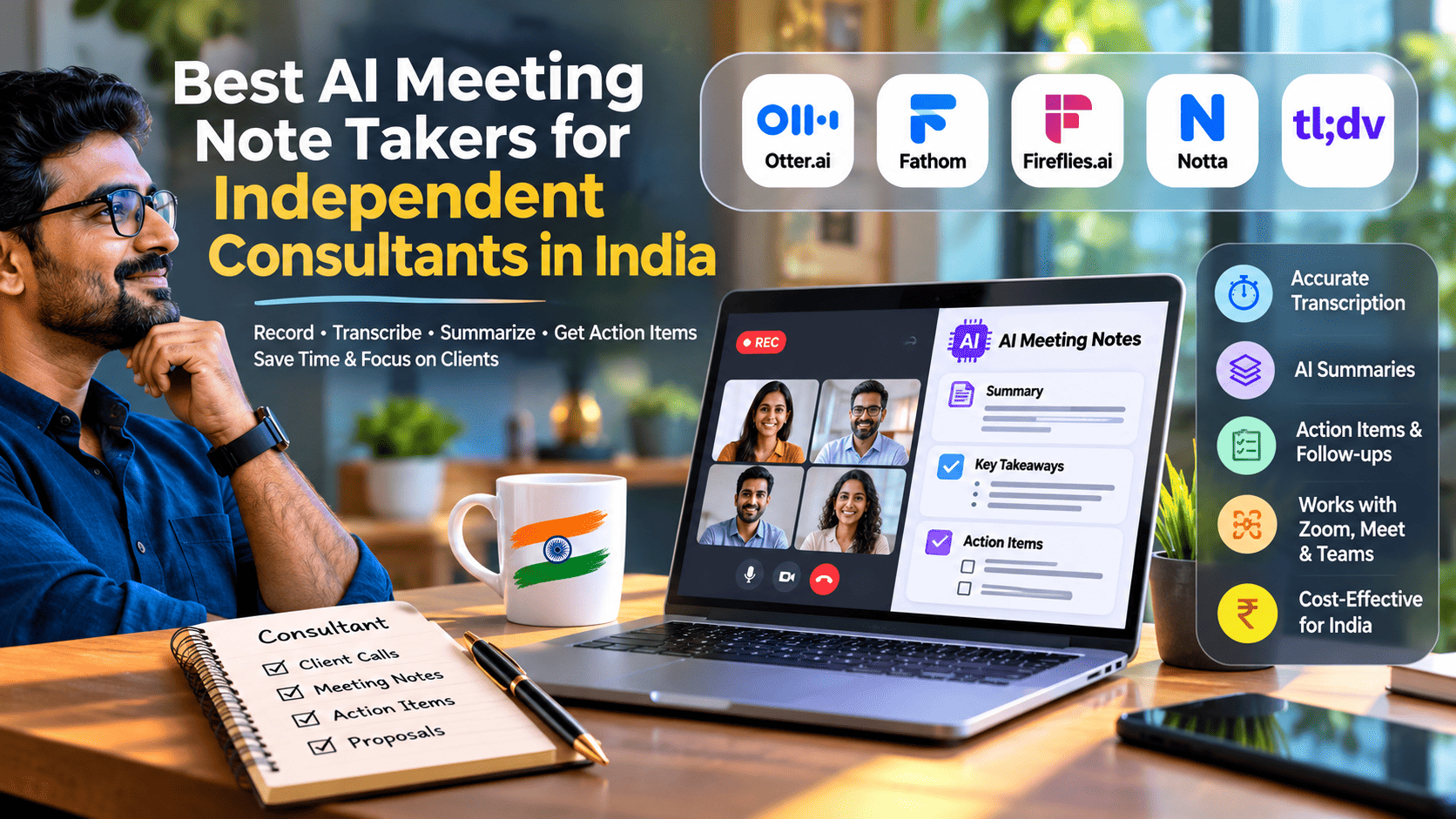
Best AI Meeting Note Takers for Independent Consultants in India (2026)

Best AI Meeting Note Takers for Independent Consultants in India (2026)
Stop writing meeting minutes. Start building better client relationships.
Independent consultants spend a surprising amount of time documenting meetings, preparing follow-up emails, tracking client commitments and updating project plans. Whether you are a technology consultant, business strategist, digital marketer, financial advisor or freelance professional, these administrative tasks can take valuable time away from paid client work.
AI meeting note takers are changing this process.
These tools can record online meetings, convert conversations into searchable transcripts, generate concise summaries, identify important decisions and extract action items. Some can even prepare follow-up emails and connect meeting outcomes with CRM and project-management applications.
But which AI meeting assistant is actually worth using in India?
This guide compares seven popular solutions, including their features, pricing considerations, language capabilities, free plans and suitability for independent consultants working with Indian and international clients.
1. What is an AI meeting note taker?
An AI meeting note taker is a software application that uses artificial intelligence and speech recognition to capture and process meeting conversations.
Instead of manually documenting everything discussed during a client call, you can use an AI assistant to produce structured meeting documentation.
Typical capabilities include:
- Automatic meeting recording.
- Real-time speech-to-text transcription.
- Speaker identification.
- AI-generated meeting summaries.
- Important discussion points and decisions.
- Action-item identification.
- Follow-up email generation.
- Searchable meeting history.
- Integration with CRM and project-management tools.
- Multilingual transcription and translation.
For independent consultants, the real advantage is not simply generating meeting notes. It is converting conversations into actionable business information.
For example, after a 45-minute technology consulting discussion, an AI meeting assistant could produce:
Meeting summary
- Client needs a cloud migration assessment.
- Existing infrastructure runs on AWS.
- Migration assessment should cover security, cost and scalability.
- Initial recommendations are expected within five working days.
Action items
| Task | Owner | Deadline |
|---|---|---|
| Share infrastructure inventory | Client | Monday |
| Review cloud architecture | Consultant | Wednesday |
| Prepare migration recommendations | Consultant | Friday |
This structured output makes client communication and project execution considerably easier.
2. Best AI meeting note takers for independent consultants in India
Here are seven tools worth considering in 2026.
1. Fireflies.ai – Best overall for consultants
Fireflies.ai is a strong choice for independent consultants who regularly conduct client discovery calls, project reviews, sales meetings and stakeholder discussions.
It records meetings, generates transcripts, produces AI summaries and makes previous conversations searchable.
Key features
- Automatic meeting recording.
- AI-powered transcription.
- Meeting summaries and action items.
- Speaker identification.
- Search across historical meetings.
- Integration with CRM and productivity applications.
- Chrome extension and desktop recording options.
- AI assistant for asking questions about meetings.
- Multilingual transcription.
One particularly useful feature for Indian consultants is its language support. Fireflies lists Hindi, Indian English and several other Indian languages among its supported transcription languages. Its multilingual mode can also handle conversations involving language switching, subject to plan availability.
Pricing considerations
- Free: Limited AI summaries and 400 minutes of storage per team.
- Pro: Approximately $10 per user/month with annual billing.
- Business: Approximately $19 per user/month with annual billing.
Prices are in USD and may change.
Best suited for: Technology consultants, business consultants, sales professionals and independent professionals handling frequent client meetings.
Website: https://fireflies.ai/
2. Fathom – Best free AI meeting assistant
Fathom is particularly attractive for solo consultants who want to minimise monthly software expenses.
Its primary advantage is its generous free offering, which includes unlimited meeting recordings and transcription.
It supports popular conferencing platforms, including Zoom, Google Meet and Microsoft Teams.
Key features
- Unlimited meeting recordings.
- Automatic transcription.
- AI-generated summaries.
- Searchable meeting records.
- Meeting highlights and clips.
- AI-generated action items.
- Follow-up email assistance.
- CRM integrations.
- Desktop application and browser extension.
Fathom’s free plan includes advanced AI summaries for the first five calls each month, with more limited summary functionality afterwards.
Pricing considerations
- Free: Unlimited recordings and transcripts.
- Premium: Approximately $15 per user/month, depending on billing selection.
- Team plans: Additional collaboration and administrative capabilities.
Always check the live pricing page before subscribing.
Best suited for: Freelancers, solo consultants, independent advisors and professionals who want to test AI meeting automation without immediately purchasing a subscription.
Website: https://fathom.video/
3. Notta – Best for multilingual transcription
Indian consultants frequently work with clients who communicate in different languages.
A typical discussion might start in English, move into Hindi and include regional-language terminology. This makes multilingual transcription an important selection criterion.
Notta is worth considering for consultants who need transcription, translation and multilingual meeting documentation.
Key features
- AI meeting transcription.
- Audio and video transcription.
- Speaker identification.
- Meeting summaries.
- Translation capabilities.
- Meeting recording integrations.
- Searchable transcripts.
- Mobile and web applications.
Notta advertises support for 58 transcription languages, including Hindi.
Pricing considerations
- Free: 120 transcription minutes per month, with a three-minute recording limit per conversation.
- Pro: Approximately $8.17 per month with annual billing.
- Business: Higher usage allowances and collaboration capabilities.
Best suited for: Consultants working with multilingual Indian clients, international customers and regional business stakeholders.
Website: https://www.notta.ai/
4. Otter.ai – Best for English-speaking client meetings
Otter.ai is a well-established AI transcription and meeting documentation platform.
It is particularly useful for consultants who primarily work with English-speaking clients and need searchable transcripts and live meeting notes.
Key features
- Live transcription.
- Speaker identification.
- Automated meeting summaries.
- AI chat across meeting transcripts.
- Action-item extraction.
- Searchable meeting history.
- Zoom, Google Meet and Microsoft Teams integrations.
- Exportable meeting documentation.
Pricing considerations
- Basic: Free, with 300 transcription minutes per month.
- Pro: Approximately $8.33 per user/month with annual billing.
- Business: Approximately $19.99 per user/month with annual billing.
Important limitation for Indian consultants: Otter’s currently published transcription-language list does not include Hindi. Do not select it for Hindi or Hinglish transcription without verifying a suitable alternative workflow.
Best suited for: Technology consultants, international freelancers and professionals conducting predominantly English-language meetings.
Website: https://otter.ai/
5. tl;dv – Best for meeting recordings and client reviews
tl;dv is useful for consultants who want to revisit specific sections of recorded meetings rather than repeatedly reviewing complete recordings.
It offers meeting recordings, searchable transcripts, highlights and AI-generated summaries.
Key features
- Meeting recording.
- AI-generated summaries.
- Speaker identification.
- Searchable transcripts.
- Meeting highlights and clips.
- Multiple meeting-platform integrations.
- CRM integrations.
- Meeting insights and collaboration features.
One practical advantage is the ability to share a particular meeting highlight with a client or colleague instead of sending an entire recording.
Pricing considerations
A free plan is available, with paid tiers offering higher recording, AI and collaboration allowances. Review the current weekly recording limits and retention conditions before choosing a subscription.
Best suited for: Management consultants, product consultants, implementation specialists and professionals conducting recurring project-review meetings.
Website: https://tldv.io/
6. Granola – Best for consultants who prefer bot-free meetings
Some clients may feel uncomfortable when an automated meeting bot joins their video conference.
Granola takes a different approach by capturing meeting audio through the consultant’s device and turning it into structured notes.
This makes it an interesting option for professionals who prefer a less intrusive meeting experience.
Key features
- Device-based meeting audio capture.
- AI-generated meeting notes.
- Customisable note formats.
- Searchable meeting history.
- AI-assisted note refinement.
- No visible meeting bot joining the call.
Pricing considerations
Granola offers a free entry-level experience and paid subscriptions. Check the current history, integration and usage limits before upgrading.
Best suited for: Executive consultants, strategy advisors and independent professionals who prefer not to introduce a visible AI participant into client meetings.
Website: https://www.granola.ai/
7. Tactiq – Best browser-based meeting notes
Tactiq is another useful option for consultants who prefer working directly within their browser.
Its browser-extension approach can capture meeting transcripts without requiring a conventional meeting bot to join the call.
Key features
- Live meeting transcription.
- AI-generated summaries.
- Action-item extraction.
- AI prompts for meeting analysis.
- Meeting highlights.
- Follow-up email generation.
- Browser-based workflow.
- Integration with productivity applications.
Pricing considerations
Tactiq offers a limited free tier and paid subscriptions with higher transcription and AI usage allowances. Check its current pricing page for the latest limits.
Best suited for: Freelancers, consultants and independent professionals who primarily conduct browser-based Google Meet or similar meetings.
Website: https://tactiq.io/
3. Comparison of the best AI meeting assistants
The following table provides a practical comparison for independent consultants.
| AI tool | Best use case | Hindi support | Free option | Meeting capture |
|---|---|---|---|---|
| Fireflies.ai | Overall consulting workflow | Yes | Yes | Bot and alternative capture |
| Fathom | Free meeting documentation | Check language requirements | Yes | Bot and desktop options |
| Notta | Multilingual transcription | Yes | Yes | Bot and recording |
| Otter.ai | English transcription | No | Yes | Meeting assistant |
| tl;dv | Recordings and highlights | Verify language requirements | Yes | Meeting bot |
| Granola | Bot-free notes | Verify language requirements | Yes | Device audio |
| Tactiq | Browser-based transcription | Verify language requirements | Yes | Browser extension |
Language support, recording methods and free-plan allowances can change. The table distinguishes explicitly confirmed Hindi support from capabilities that should be tested before purchase.
4. Which AI meeting note taker should Indian consultants choose?
There is no single winner for every independent consultant.
The right choice depends on meeting volume, language requirements, client confidentiality and the tools already used in your business.
Here are my practical recommendations:
For technology consultants: Fireflies.ai
Its searchable transcripts, summaries, integrations and multilingual support make it a strong all-round option.
For budget-conscious freelancers: Fathom
Its free recording and transcription offering makes it an excellent starting point.
For consultants working in Hindi and English: Fireflies.ai or Notta
Both offer explicitly documented Hindi transcription support. Test them with your actual Hinglish conversations before selecting a paid plan.
For English-only international consulting: Otter.ai
Its live transcription and searchable meeting documentation make it a useful choice.
For confidential or sensitive client discussions: Consider Granola or a locally controlled recording workflow, but remember that bot-free recording does not automatically mean local-only processing or complete privacy.
5. How to use AI meeting notes in a consulting business
Buying an AI meeting assistant is only the first step. The real value comes from integrating it into your consulting workflow.
Here is a practical process that independent consultants can implement.
Step 1: Prepare for the client meeting
Before the meeting, create a short agenda covering:
- Client objectives.
- Business challenges.
- Existing systems or processes.
- Expected deliverables.
- Budget and timelines.
- Next steps.
Share the agenda with the client so that the discussion stays focused.
Step 2: Record and transcribe the meeting
Enable your chosen AI meeting assistant after informing participants and obtaining appropriate permission.
Check the recording settings, transcription language and participant permissions.
For Indian meetings involving English and Hindi, test language switching and technical terminology before relying on the transcript.
Step 3: Generate structured meeting notes
Use a consistent format rather than accepting an unstructured AI-generated summary.
A useful prompt is:
“Act as a professional consulting project manager. Analyse the meeting transcript and prepare structured client meeting minutes. Include the executive summary, business requirements, key discussion points, decisions, risks, assumptions, action items, owners, deadlines and unresolved questions. Do not invent missing information. Mark unclear statements for human verification.”
This produces documentation that is easier to review and share.
Step 4: Convert meeting notes into deliverables
Meeting documentation can become the foundation for other consulting activities.
For example:
| Meeting outcome | Next deliverable |
|---|---|
| Business requirements | Business Requirements Document |
| Technical discussion | Solution Architecture |
| Project scope | Statement of Work |
| Client commitments | Action tracker |
| Budget discussion | Commercial proposal |
| Project risks | Risk register |
| Follow-up questions | Client questionnaire |
This is particularly valuable for consultants who deliver multiple projects simultaneously.
Step 5: Automate follow-up communication
Once the meeting summary has been reviewed, use an AI writing assistant to prepare a professional follow-up email.
The email should include:
- Appreciation for the discussion.
- Key decisions.
- Confirmed requirements.
- Pending information.
- Assigned action items.
- Expected delivery dates.
- Next meeting details.
Always review the email before sending it to the client.
Step 6: Connect meeting notes with your productivity tools
You can extend the workflow using automation platforms such as Zapier, Make or n8n.
A typical automation pipeline could look like this:
Client meeting → AI transcription → Meeting summary → Action-item extraction → Project management → Follow-up email → Client record update
For example, a completed client meeting could automatically create tasks in Notion, Trello or Asana, subject to the integrations and permissions available.
This helps create a repeatable consulting delivery process.
6. Important privacy and security considerations for Indian consultants
Meeting recordings may contain confidential business information, personal information, financial details, customer data and internal company discussions.
Consultants should treat meeting transcripts as sensitive business records.
India notified the Digital Personal Data Protection Rules, 2025 in November 2025. The DPDP framework is being implemented in phases, so consultants should review the applicable obligations and effective dates rather than assume that every provision became enforceable simultaneously.
Before using an AI meeting assistant, consider the following safeguards:
- Obtain permission: Inform participants that the meeting may be recorded and transcribed. Obtain appropriate consent before recording.
- Review data storage: Understand where recordings, transcripts and generated summaries are stored.
- Check AI training policies: Review whether provider terms permit customer data to be used for model training.
- Control access: Share transcripts only with authorised individuals.
- Set retention periods: Delete recordings and transcripts when they are no longer required.
- Protect client information: Avoid uploading confidential financial, personal or proprietary information without appropriate authorisation.
- Review integrations: Check what information connected applications can access.
- Maintain human oversight: Verify important decisions, commitments, financial figures and technical requirements before sharing meeting minutes.
For enterprise clients, also review contractual confidentiality, security and data-processing requirements.
Privacy and confidentiality are not optional extras in consulting. They are part of professional service delivery.
7. Practical checklist before selecting an AI meeting note taker
Before paying for a subscription, evaluate the following criteria.
- Supports your primary video conferencing platform.
- Provides accurate transcription for Indian English accents.
- Supports Hindi or other required regional languages.
- Handles mixed-language discussions adequately.
- Identifies different speakers.
- Generates structured summaries.
- Extracts decisions and action items.
- Allows transcript editing and export.
- Provides searchable historical records.
- Integrates with your existing productivity tools.
- Offers appropriate privacy and access controls.
- Provides clear data-retention policies.
- Has an affordable free or entry-level plan.
- Allows you to control recording and sharing permissions.
A good approach is to test at least two tools using the same 20–30-minute meeting recording. Compare speaker names, technical terminology, numbers, decisions and action items rather than judging only the quality of the summary.
8. Can AI meeting note takers increase consulting productivity?
Absolutely, provided they are used as assistants rather than replacements for professional judgement.
Consider a consultant who conducts 15 client meetings each week.
If manual documentation takes an average of 15 minutes per meeting, that represents:
15 meetings × 15 minutes = 225 minutes per week.
That is approximately 3.75 hours every week.
If AI-assisted documentation reduces the consultant’s review and editing effort to five minutes per meeting, the weekly time requirement becomes 75 minutes.
Potential time saved: 150 minutes per week, or 2.5 hours.
This is an illustrative productivity scenario, not a guaranteed result. Actual savings depend on meeting complexity, transcription quality and the amount of human verification required.
The additional time can be invested in client delivery, business development, research or developing new consulting services.
For independent consultants, even a few recovered hours each week can make a meaningful difference.
9. Final verdict: Which AI meeting note taker is best?
AI meeting note takers are becoming essential productivity tools for independent consultants who want to scale their businesses without increasing administrative overhead.
My recommendations are:
- Best overall: Fireflies.ai.
- Best free option: Fathom.
- Best for Hindi and multilingual meetings: Fireflies.ai and Notta.
- Best for English transcription: Otter.ai.
- Best for bot-free meeting notes: Granola.
- Best for meeting recordings and highlights: tl;dv.
- Best browser-based option: Tactiq.
If you are starting your independent consulting journey, begin with a free plan and test the tool using real client-style conversations. Upgrade only when the time saved, integrations or additional features justify the subscription.
The objective is not to automate every aspect of client communication. It is to spend less time documenting conversations and more time delivering meaningful business outcomes.
Your next competitive advantage as an independent consultant may not be working longer hours. It may be building a smarter AI-powered consulting workflow.
Frequently Asked Questions (FAQs)
1. What is the best free AI meeting note taker for consultants in India?
Fathom is a strong starting point because its free plan offers unlimited meeting recordings and transcription. Fireflies.ai is another option, although its free plan has storage and AI-summary limitations.
2. Which AI meeting assistant supports Hindi?
Fireflies.ai and Notta explicitly support Hindi transcription. Test both with real Hindi-English conversations to assess their performance on accents, names and industry-specific terminology.
3. Can AI meeting assistants automatically generate client meeting minutes?
Yes. Most leading tools can generate meeting summaries, decisions and action items. Consultants should review and correct the output before sharing official meeting minutes.
4. Can I use AI meeting note takers with Google Meet and Zoom?
Yes. Popular options such as Fireflies.ai, Fathom, Otter.ai, Notta and tl;dv support common conferencing platforms. Specific integrations and plan requirements vary.
5. Are AI meeting note takers safe for confidential client meetings?
They can be used with appropriate safeguards, but no tool should automatically be considered suitable for confidential discussions. Review its security controls, data-processing terms, retention settings and client permissions before use.
6. Can I automate meeting notes into project management applications?
Yes. Depending on the tool and subscription, integrations through Zapier, Make, n8n or native connectors can transfer meeting summaries and action items into project-management applications.
7. Do AI meeting note takers understand Indian English accents?
Several platforms support English transcription, but performance varies with accents, audio quality, background noise and technical terminology. Test the tool with your own recordings before adopting it for client-facing documentation.
Editorial note: This article is an independent comparison based on publicly available product information. It is not a controlled accuracy benchmark or a paid endorsement. Product capabilities and subscription prices can change, so verify the vendor’s latest terms before purchasing.
Last updated: 14 November 2026.
AI Meeting Assistant, AI Tools, Freelancing India, Independent Consultants, Meeting Transcription, Productivity Tools, Fireflies AI, Fathom AI, Notta, Otter AI, Client Management, AI Automation