AI Chatbot for a Small Service Business: When It Helps and When It Hurts

AI Chatbot for a Small Service Business: When It Helps and When It Hurts
An AI chatbot can be a powerful tool for a small service business. It can answer customer questions, capture leads, book appointments, explain services, and provide support even when the business owner is busy or unavailable.
But adding a chatbot to a website isn’t automatically a good business decision. A poorly configured chatbot can frustrate customers, provide inaccurate information, create unrealistic expectations, and even cause businesses to lose leads they could otherwise have converted.
The real question isn’t whether your small business needs AI. It’s where AI can improve the customer experience without replacing the human touch that makes customers trust your business.
In this guide, we’ll explore when an AI chatbot makes sense for a small service business, where it can hurt more than help, and how to implement one without overcomplicating your operations.
1. What is an AI chatbot for a small service business?
An AI chatbot is a software assistant that interacts with website visitors through natural language. Instead of forcing customers to navigate multiple pages or wait for a business owner to respond, a chatbot can understand questions and provide relevant answers instantly.
For small service businesses, AI chatbots can be particularly useful for:
- Home cleaning and maintenance services
- Consultants and freelance professionals
- Digital marketing agencies
- IT support companies
- Real estate agents
- Clinics and appointment-based businesses
- Fitness trainers and wellness providers
- Local repair and installation services
Unlike traditional rule-based chatbots that depend on fixed buttons and predefined responses, AI chatbots can interpret variations in customer questions and respond using information from business documents, FAQs, service descriptions, pricing policies, and approved knowledge sources.
A well-designed chatbot can become a digital front desk for your business—not just another widget on your website.
2. When an AI chatbot actually helps
Agentic AI Lead Qualification (No-Code Setup in 2026) | Dashform
AI Chatbot Development: Build vs Buy Custom Solutions
10
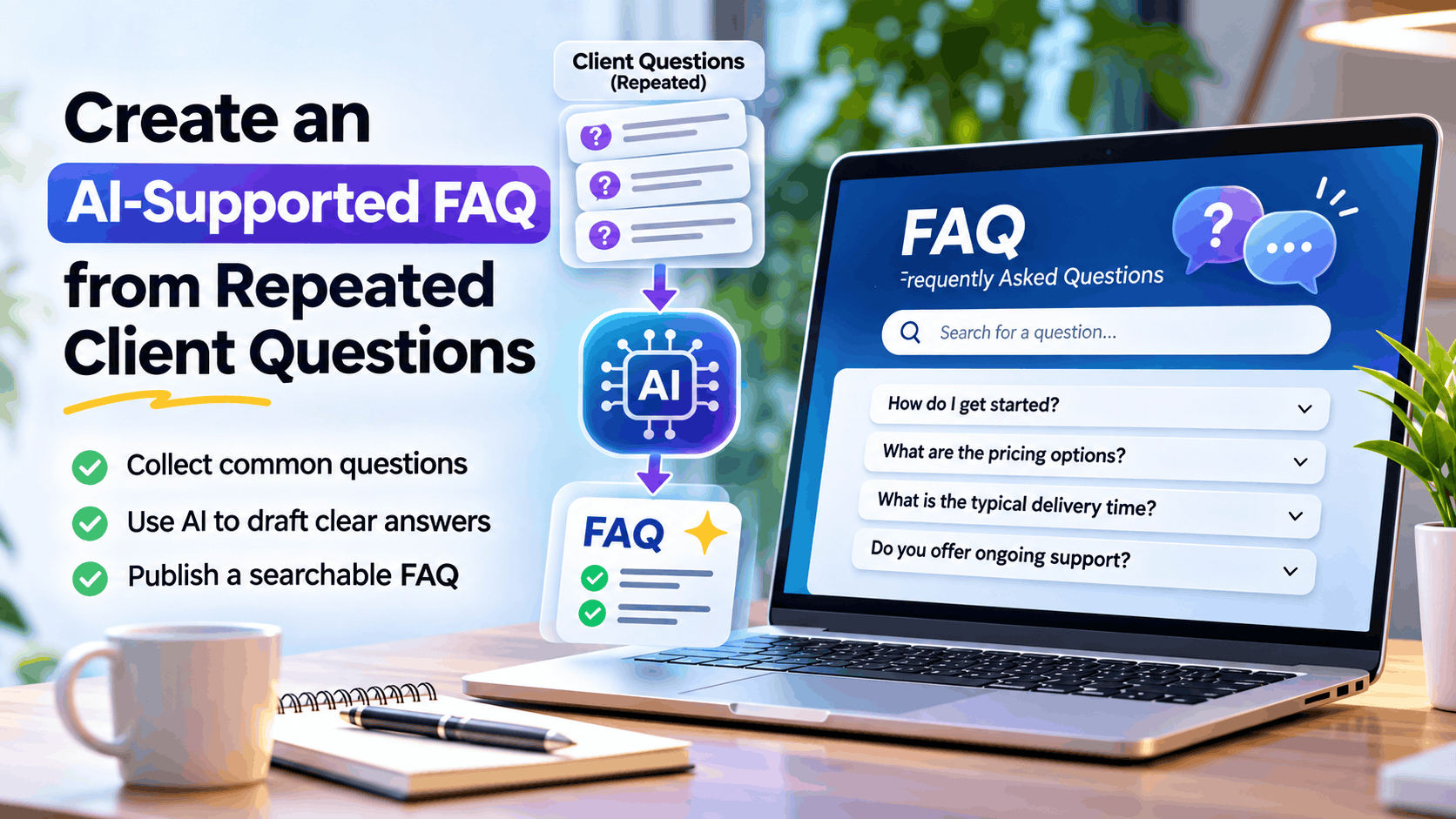
A. When customers ask the same questions repeatedly
If you regularly answer questions like:
- What services do you offer?
- What are your working hours?
- How much does your service cost?
- Do you serve my area?
- How can I book an appointment?
- What is included in your package?
A chatbot can handle these repetitive queries automatically.
Instead of spending time responding to the same messages every day, business owners can focus on delivering services, managing customers, and growing their business.
B. When customers contact you outside business hours
Small businesses often lose potential customers because they cannot respond immediately.
A customer looking for a plumber, consultant, designer, or repair service may contact several businesses simultaneously. The first business that provides a clear and helpful response may have a better chance of securing the job.
An AI chatbot can:
- Respond instantly, 24/7
- Collect customer contact details
- Understand the requested service
- Capture preferred appointment times
- Provide basic pricing guidance
- Notify the business owner about qualified leads
This doesn’t mean the chatbot has to close every sale. Its primary purpose may simply be to ensure that a potential customer doesn’t disappear before the business has an opportunity to respond.
C. When lead qualification takes too much time
Not every inquiry is a genuine opportunity.
A service business may receive requests from customers who:
- Are outside its service area
- Have unrealistic budgets
- Need services the business doesn’t provide
- Want immediate availability that isn’t possible
An AI chatbot can ask a few useful questions before forwarding the inquiry.
For example, a home renovation business might collect:
| Question | Purpose |
|---|---|
| Which service do you need? | Identify the service category |
| What is the property location? | Check service coverage |
| What is your estimated budget? | Qualify the opportunity |
| When do you want the work completed? | Understand urgency |
| What is your contact number? | Enable follow-up |
This helps the business prioritize serious prospects instead of treating every inquiry equally.
D. When booking appointments is straightforward
Appointment-based businesses can benefit significantly from chatbot automation.
A chatbot integrated with a booking system can help customers:
- View available time slots
- Choose a service
- Schedule appointments
- Receive confirmation
- Request rescheduling
- Get reminders
The important distinction is that the chatbot should use actual availability from the booking system. It should never invent appointment slots or promise availability based on assumptions.
E. When customers need guidance before buying
Some customers are interested in a service but aren’t ready to contact a business directly.
A chatbot can help them understand their options.
For example, a digital marketing agency could guide customers through questions about:
- Their business type
- Marketing goals
- Current website
- Advertising budget
- Preferred services
Based on the responses, the chatbot can recommend an appropriate service package or explain which consultation would be most relevant.
This creates a more guided experience than simply displaying a contact form.
3. When an AI chatbot can hurt your business
Aussies fed up with customer service bots, survey finds
Chatbots vs AI Agents: The Key Differences | Lycia AI
Here’s 1 Example of an AI Support Chatbot Blunder
8
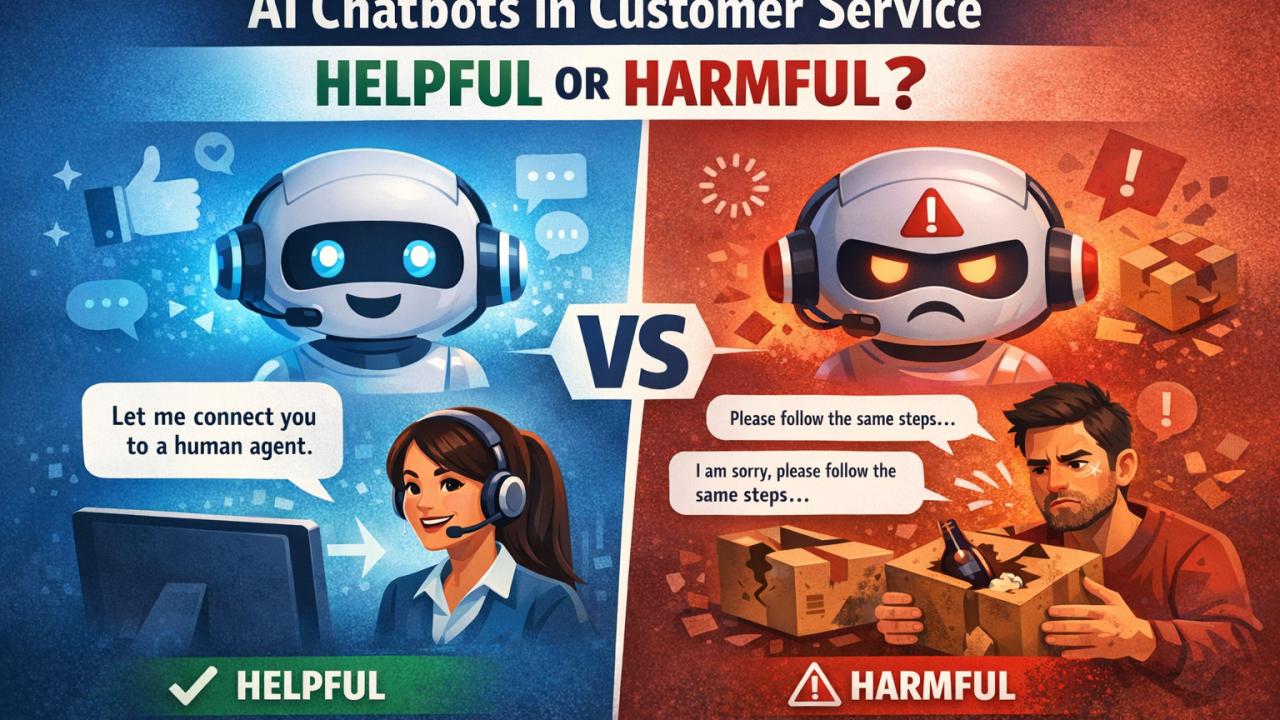
AI automation isn’t always a good experience. In certain situations, a chatbot can create friction and reduce customer trust.
A. When customers need empathy, not automation
Imagine a customer contacting a service provider because:
- A repair has failed repeatedly
- A delivery is delayed
- A payment has been charged incorrectly
- A service provider has not arrived
- A previous complaint remains unresolved
A chatbot responding with generic messages such as “I understand your concern” followed by another automated question can make the customer even more frustrated.
These situations require empathy, judgment, and accountability.
A chatbot should recognize frustration and offer an immediate route to a real person rather than forcing customers through an endless automated conversation.
B. When the chatbot provides inaccurate information
An AI chatbot can sound confident even when it is wrong.
This can create serious problems if it incorrectly communicates:
- Pricing
- Service availability
- Warranty conditions
- Refund policies
- Legal commitments
- Delivery timelines
- Technical recommendations
For a small business, a single misleading answer can damage customer relationships and create financial consequences.
The chatbot should be restricted to approved information sources, and it should clearly communicate when it doesn’t know the answer.
C. When customers cannot reach a human
One of the most frustrating chatbot experiences is being trapped in an automated conversation without a way to speak to someone.
Avoid designs that:
- Hide phone numbers
- Make human support difficult to find
- Require customers to repeat information
- Prevent escalation
- Ignore requests such as “talk to a person”
A chatbot should be a shortcut to support—not a barrier between the customer and your business.
D. When your business is too complex for automation
Some service businesses operate with highly customized requirements.
For example:
- Enterprise consulting
- Complex legal services
- Large renovation projects
- Custom software development
- High-value financial advisory
- Specialized technical services
These customers often need detailed discussions, discovery meetings, and personalized recommendations.
A chatbot may help collect initial information, but it should not attempt to replace the consultation or make decisions that require professional judgment.
E. When the cost is higher than the value
An AI chatbot may involve expenses for:
- AI API usage
- Chatbot platform subscriptions
- Website integration
- CRM integration
- Booking integrations
- Monitoring and maintenance
- Knowledge base updates
If your website receives only a handful of visitors each month, a sophisticated chatbot may not produce enough value to justify the investment.
Sometimes a simple contact form, WhatsApp button, or appointment booking link is a better solution.
4. Practical AI chatbot use cases by business type
Not every business needs the same chatbot. The best solution depends on how customers interact with your business and what questions they usually ask.
| Business type | Useful chatbot tasks | What should remain human |
|---|---|---|
| Home services | Service requests, location, booking, quotes | Complex repairs and exceptions |
| Digital agency | Service discovery, lead qualification, consultation booking | Strategy, negotiations, custom proposals |
| IT support | Troubleshooting FAQs, ticket creation | Critical incidents, complex technical issues |
| Real estate | Property inquiries, preferences, viewing requests | Negotiation, legal matters, closing |
| Fitness trainer | Program information, session scheduling | Personalized coaching, health-related decisions |
| Consulting | Service discovery, initial assessment, appointment scheduling | Advisory decisions and client strategy |
| Salon or spa | Service menus, pricing, availability | Special requests and sensitive customer needs |
The objective should be to automate repetitive interactions while protecting the high-value conversations that require expertise.
5. How to design a chatbot that doesn’t frustrate customers
A good chatbot should have a simple, well-defined workflow.
Step 1: Start with a clear purpose
Don’t build a chatbot that tries to do everything.
Start with one or two objectives, such as:
- Answer frequently asked questions
- Capture qualified leads
- Schedule appointments
Clearly define what the chatbot is allowed to do and what it should not attempt.
Step 2: Use a reliable knowledge base
Provide the chatbot with verified information such as:
- Service descriptions
- Frequently asked questions
- Business hours
- Pricing guidelines
- Service locations
- Cancellation policies
- Contact information
Review and update the knowledge base regularly. Outdated information can be more damaging than having no chatbot at all.
Step 3: Keep conversations short and useful
Customers don’t want to complete a 20-question survey just to ask for a service price.
Ask only for the information required to complete the next step.
For example:
Customer: I need help with AC maintenance.
Chatbot: Sure! We provide AC maintenance services. Which area are you located in?
Customer: Noida Sector 62.
Chatbot: We serve that area. Would you like to schedule a visit or receive an estimated service price?
Customer: I would like a price.
Chatbot: I can help with that. How many AC units do you need serviced?
This approach feels more natural than presenting a long list of questions immediately.
Step 4: Add a human handoff
Every chatbot should have a clearly defined escalation path.
The chatbot should transfer or escalate conversations when:
- The customer asks for a human
- The customer is unhappy
- The question is outside its knowledge
- The request involves an exception
- The issue is urgent
- The chatbot repeatedly fails to understand the customer
A human handoff should include the conversation history so customers don’t have to explain everything again.
Step 5: Connect it to real business systems
A chatbot becomes more useful when it can perform actions instead of just providing answers.
Depending on the business, integrations may include:
- CRM systems
- WhatsApp Business
- Google Calendar
- Appointment booking platforms
- Email notifications
- Payment systems
- Helpdesk software
- Website forms
However, integrations should be introduced gradually. A chatbot that answers FAQs accurately is often more valuable than a chatbot connected to ten systems but functioning unreliably.
6. AI chatbot vs. traditional chatbot vs. human support
| Capability | Traditional chatbot | AI chatbot | Human support |
|---|---|---|---|
| FAQ responses | Good | Excellent when grounded | Excellent |
| Natural conversations | Limited | Strong | Strong |
| 24/7 availability | Yes | Yes | Usually limited |
| Lead qualification | Rule-based | Context-aware | Flexible |
| Complex problem-solving | Poor | Limited | Excellent |
| Empathy | Limited | Simulated | Genuine human judgment |
| Consistency | High | Variable | Variable |
| Cost per interaction | Low | Low to moderate | Higher |
| Handling exceptions | Poor | Moderate | Strong |
The best solution for most small businesses is not choosing one of these options. It is combining them.
AI handles repetitive interactions, automation handles workflows, and humans handle judgment, trust, and complex decisions.
7. How much should a small business spend on an AI chatbot?
There is no universal chatbot budget. The cost depends on the number of interactions, AI model usage, integrations, hosting, and how much customization is required.
A small business can start with a basic FAQ chatbot and gradually expand it.
| Implementation level | Typical features | Best for |
|---|---|---|
| Basic | FAQ, service information, contact capture | Solo professionals |
| Standard | FAQ, lead qualification, booking, notifications | Growing service businesses |
| Advanced | CRM integration, knowledge base, analytics, workflows | Businesses with consistent lead volume |
| Custom AI assistant | Multiple integrations, business workflows, advanced AI | High-volume or specialized operations |
Instead of spending heavily upfront, begin with a small pilot and measure the results.
8. How to measure whether your chatbot is working
A chatbot shouldn’t be judged by how intelligent it sounds. It should be judged by whether it improves business outcomes.
Track the following metrics:
| KPI | What it tells you |
|---|---|
| Chat engagement rate | How many visitors interact with the chatbot |
| Lead capture rate | How many conversations produce usable leads |
| Qualified lead rate | How many captured leads fit your target customer |
| Appointment conversion rate | How many interactions result in bookings |
| Resolution rate | How many questions are answered without human intervention |
| Escalation rate | How often conversations require human assistance |
| Customer satisfaction | Whether users find the chatbot helpful |
| Conversion rate | Whether chatbot-assisted visitors become paying customers |
| Cost per qualified lead | Whether chatbot leads are economically worthwhile |
Don’t try to maximize automation at all costs.
A chatbot that resolves 50% of conversations accurately and helps convert more customers can be more valuable than one that claims to resolve 95% but frustrates users.
9. A simple 30-day chatbot implementation plan
Week 1 — Identify the opportunity
- Review customer questions from email, WhatsApp, phone calls, and website inquiries.
- Identify the 10–20 most repetitive questions.
- Select one business objective: support, lead capture, or booking.
Week 2 — Build the chatbot
- Create a verified FAQ and knowledge base.
- Configure chatbot responses and conversation flows.
- Add lead capture and human handoff.
- Test common questions and edge cases.
Week 3 — Launch a limited pilot
- Deploy it to one channel, preferably your website.
- Monitor real conversations.
- Review inaccurate answers and failed interactions.
- Collect customer feedback.
Week 4 — Measure and optimize
- Analyze qualified leads and conversions.
- Identify questions the chatbot cannot answer.
- Improve prompts and knowledge sources.
- Decide whether additional integrations are justified.
This approach reduces risk and allows the business to learn before investing in a larger automation platform.
10. The best strategy: AI first, human when needed
The most successful small businesses won’t necessarily be the ones with the most AI automation. They will be the ones that use AI to make customer interactions faster, easier, and more useful.
A chatbot should make it easier for customers to do business with you.
If it answers questions instantly, helps customers choose the right service, captures leads, and makes booking easier, it’s doing its job.
If it creates confusion, hides human support, or gives customers inaccurate information, it’s hurting the business.
Start small. Automate repetitive tasks. Keep humans accessible. Measure real results.
The goal isn’t to replace your customer service with AI. The goal is to make your customer service better with AI.
Frequently asked questions (FAQ)
Is an AI chatbot worth it for a small business?
Yes, if the business receives repetitive customer inquiries, misses leads outside working hours, or spends too much time answering basic questions. Businesses with very low inquiry volumes may be better off starting with a simple contact form or messaging solution.
Can an AI chatbot generate leads?
Yes. It can ask qualifying questions, capture customer contact details, understand service requirements, and send leads to a CRM or business owner for follow-up.
Can an AI chatbot replace customer service employees?
For most small service businesses, it should complement rather than replace human support. AI is useful for routine interactions, while humans remain essential for complaints, exceptions, sensitive issues, and complex decisions.
What is the biggest risk of using AI chatbots?
Providing inaccurate or misleading information is one of the biggest risks. Businesses should use verified knowledge sources, define chatbot boundaries, monitor conversations, and enable easy escalation to humans.
Should a small business use a chatbot on its website or WhatsApp?
Start where your customers already contact you. If most inquiries arrive through your website, deploy it there first. If customers primarily use WhatsApp, consider an approved WhatsApp Business integration after validating the initial chatbot workflow.